
我测了Google Stitch:AI 直接出 UI 源文件,Figma 的压力不小了……



…
大家好,我是言川。
最近,AI + 设计方向的新品是一个接一个地发,感觉这是要把设计师往绝路上逼啊……
就在昨天,Google 在开发者大会上丢出一个重磅炸弹——全新的 AI 工具:Google Stitch。
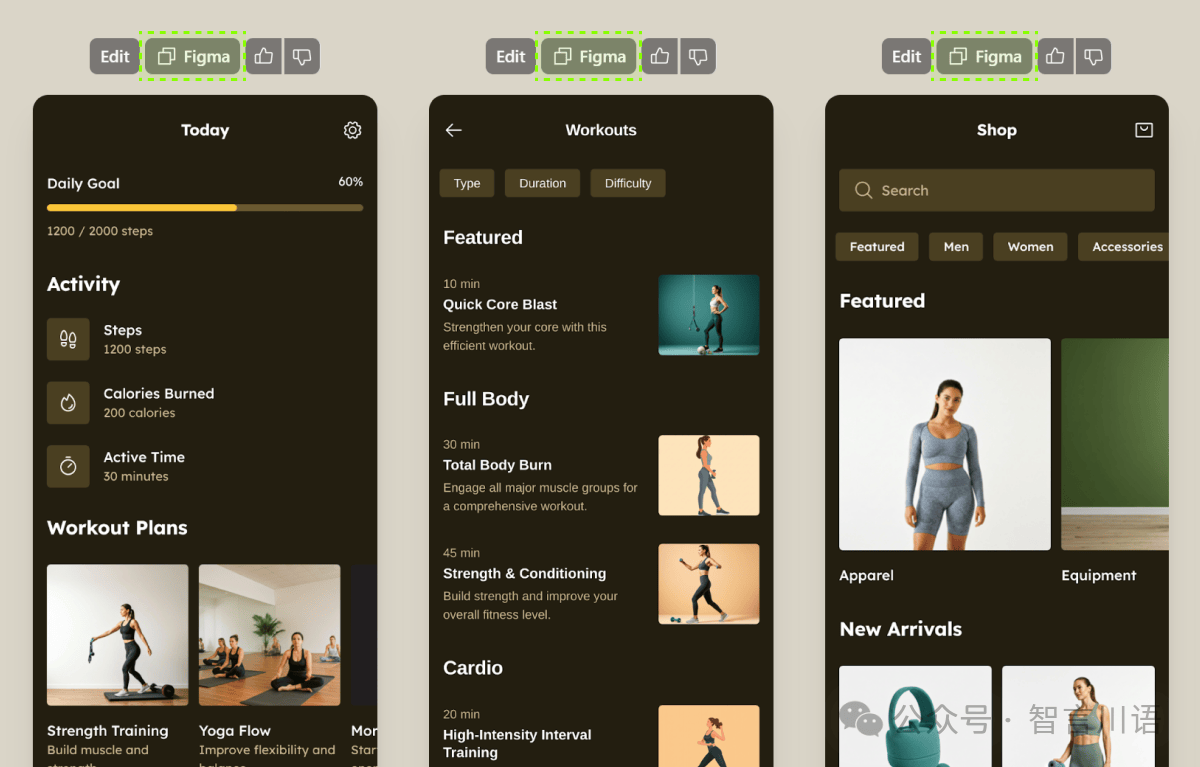
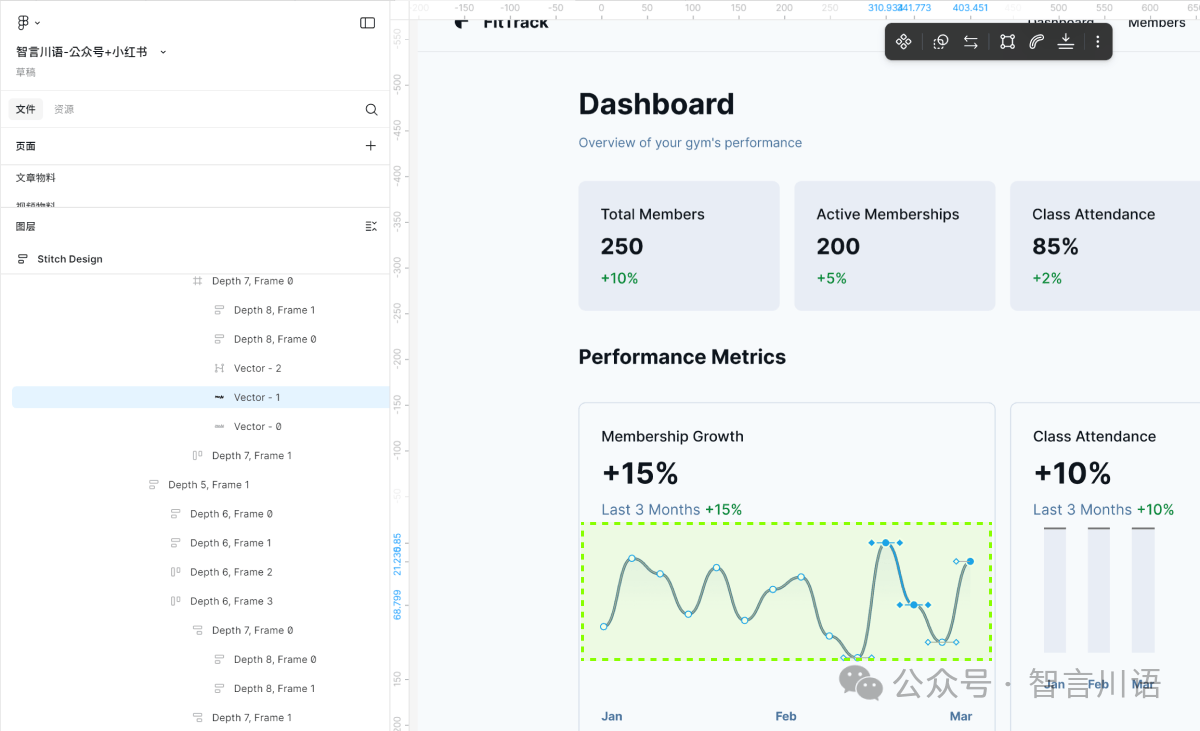
简单来说,Google Stitch 是一款由 AI 驱动的 UI 设计工具,能根据你的自然语言描述,自动生成高质量的网页和移动端界面。不止如此,它还支持直接导出 HTML/CSS 代码,甚至可以一键粘贴进 Figma,实现从原型到上线的无缝衔接。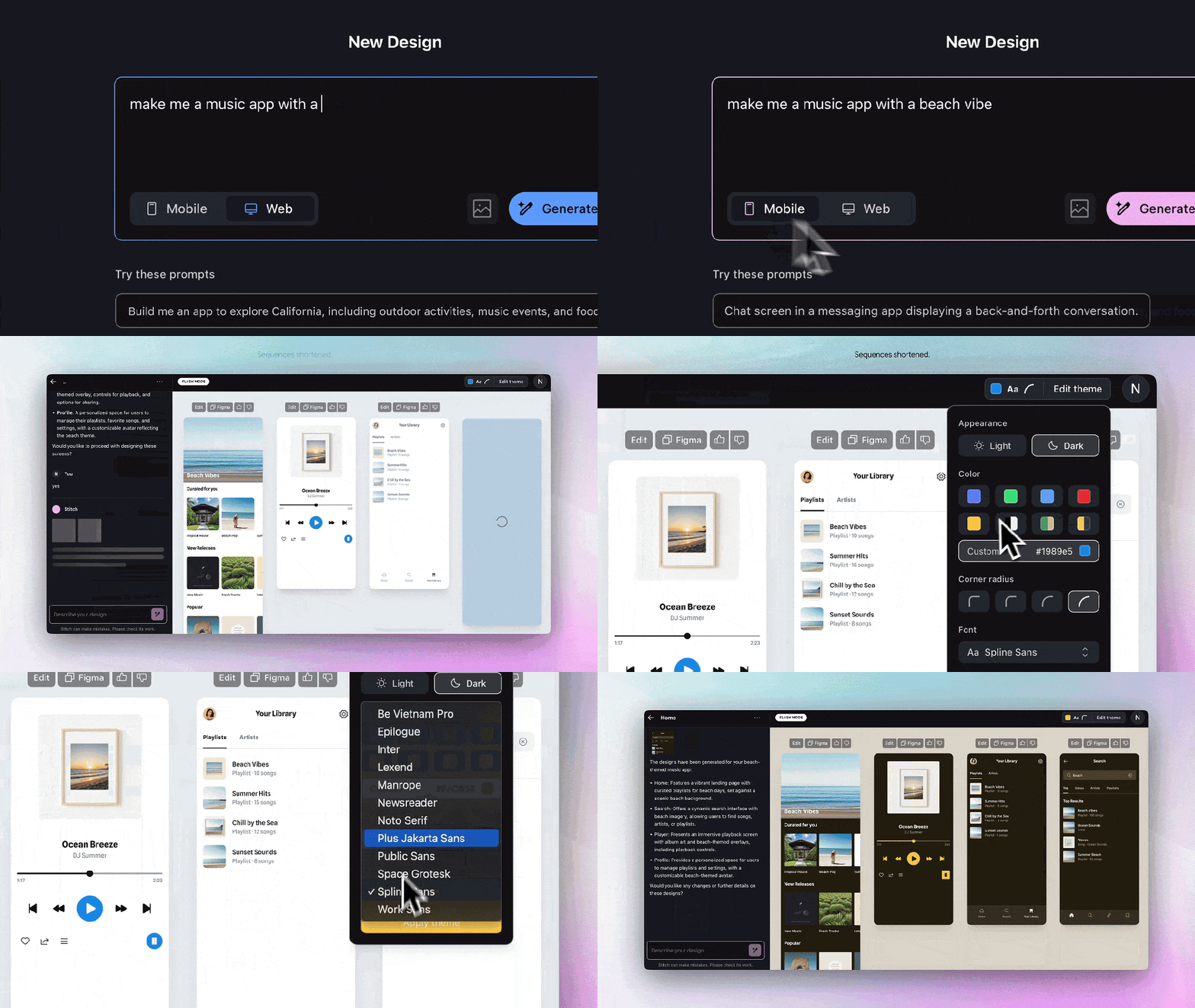
我就问一句:Figma 慌不慌?
Make 那边还捂着不让大家玩,结果 Google Stitch 直接全量开放给用户使用了,地址甩这:https://stitch.withgoogle.com/
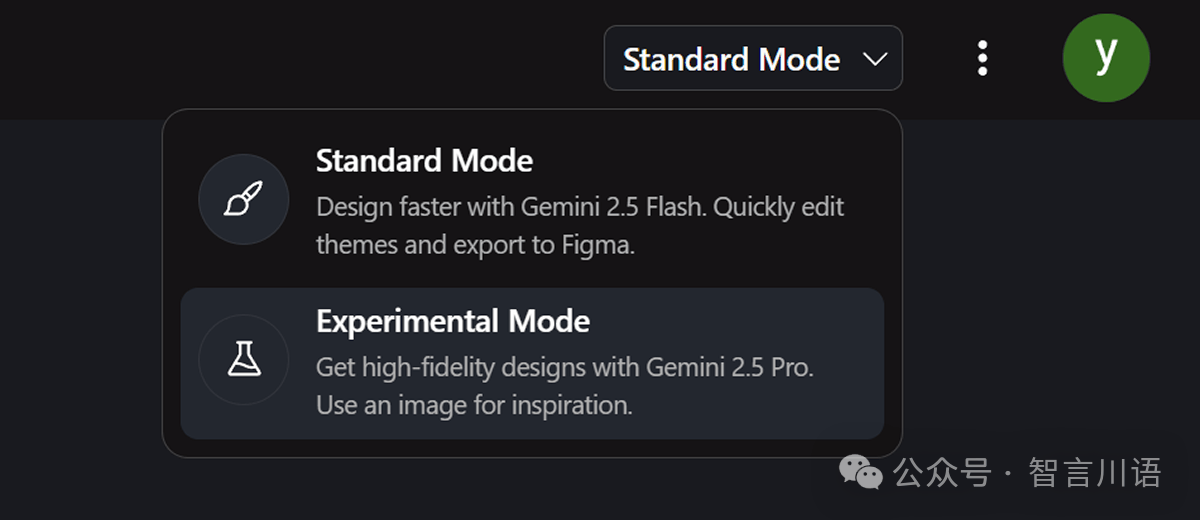
这款工具提供了两种模式可选,分别是 Standard Mode 和 Experimental Mode:
- Standard Mode:基于 Gemini 2.5 Flash 模型,可以快速生成设计,并且支持直接导出到 Figma 进行后续编辑。
- Experimental Mode:基于更高级的 Gemini 2.5 Pro 模型,重点亮点是——支持“图生图”功能。
接下来,我就带大家一起实测这两个模式的表现。
首先是 Standard Mode。打开 Google Stitch 后,我们只需要输入提示词,并选择生成的界面类型(支持移动端和网页端)。根据我的测试经验,目前使用英文提示词的稳定性更高一些,输出结果也更符合预期。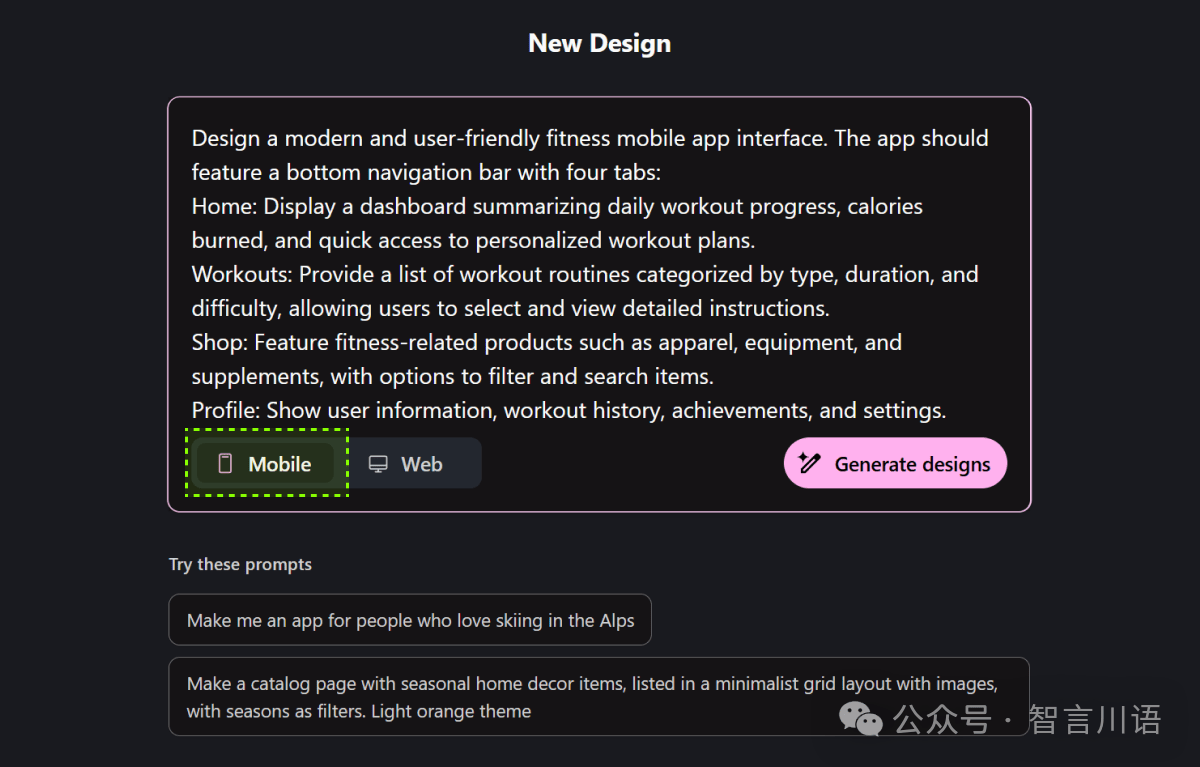
Prompt:
Design a modern and user-friendly fitness mobile app interface. The app should feature a bottom navigation bar with four tabs:
- Home: Display a dashboard summarizing daily workout progress, calories burned, and quick access to personalized workout plans.
- Workouts: Provide a list of workout routines categorized by type, duration, and difficulty, allowing users to select and view detailed instructions.
- Shop: Feature fitness-related products such as apparel, equipment, and supplements, with options to filter and search items.
- Profile: Show user information, workout history, achievements, and settings.
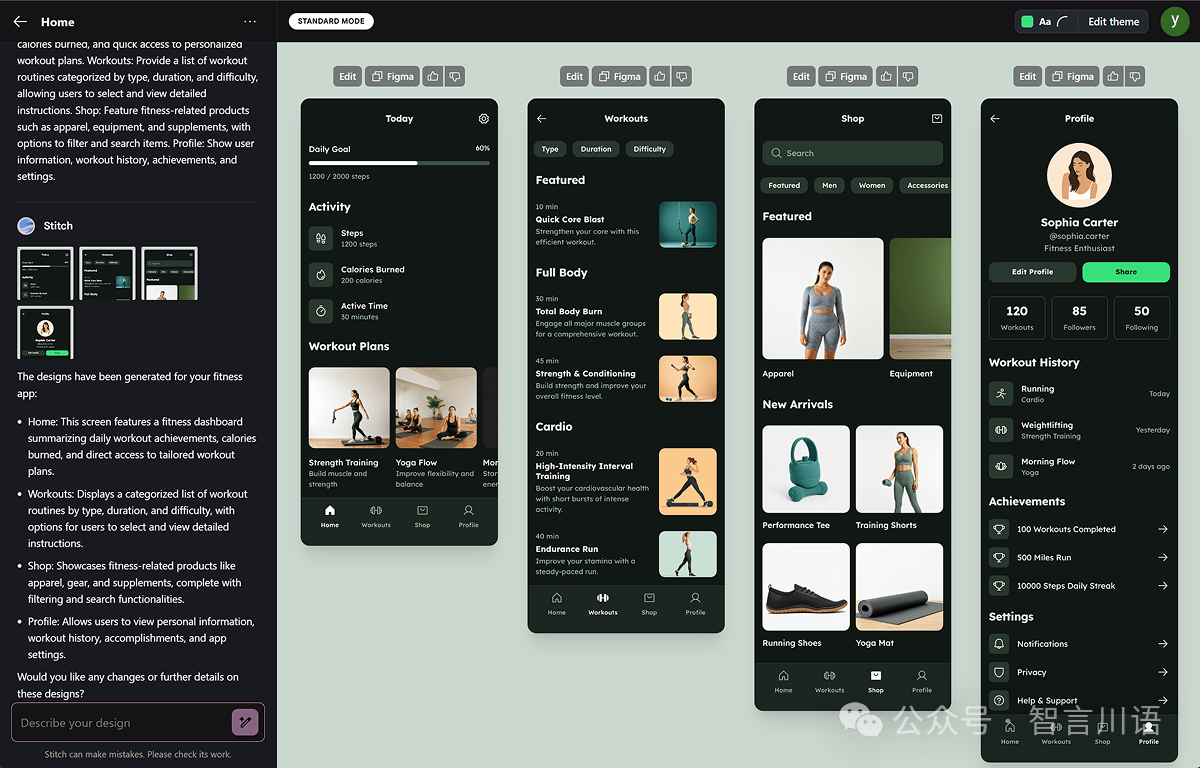
生成出来的界面,风格非常 Google 味儿,大概率是用它自家的开源 UI 组件库训练出来的结果。不过说真的,Standard Mode 的生成速度相当快,这点确实得益于背后的 Gemini 2.5 Flash 极速模型。
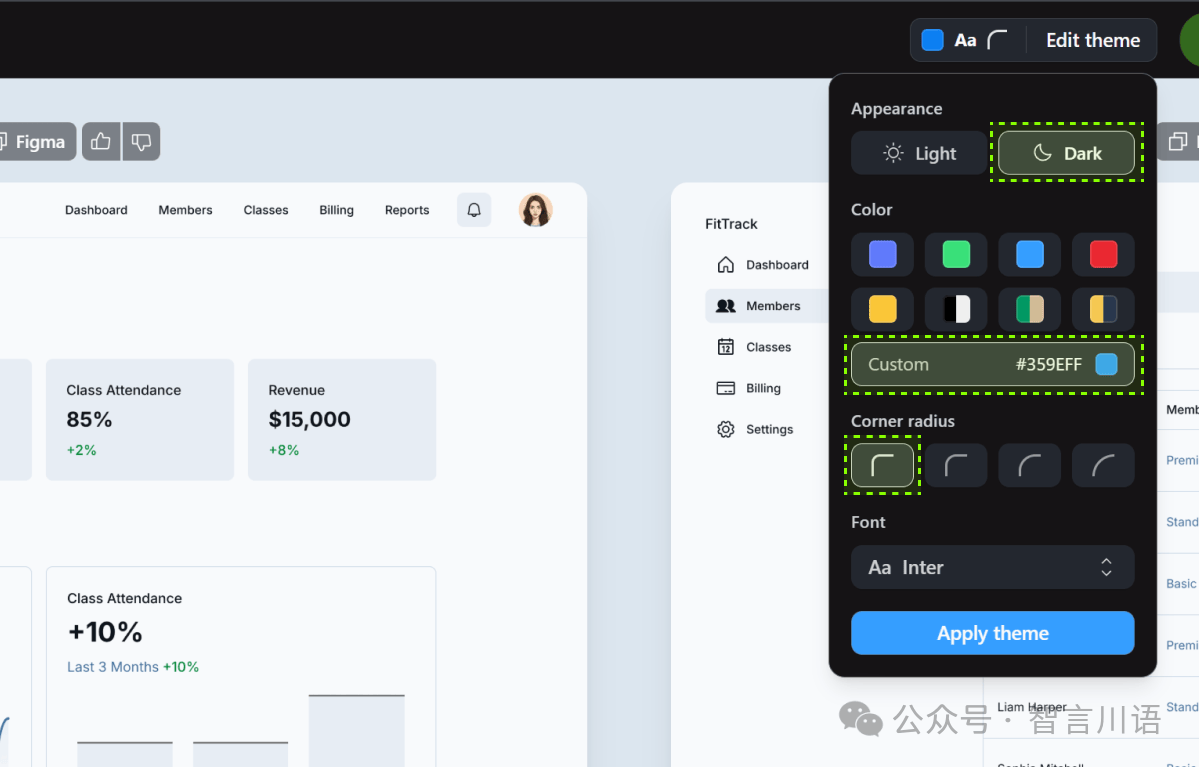
另外,页面右上角还有一个小细节值得一提:“Edit theme” 功能。它可以自定义主题色、色系风格、圆角半径,甚至字体样式——也就是说,你能在生成基础上,快速做一轮主题微调。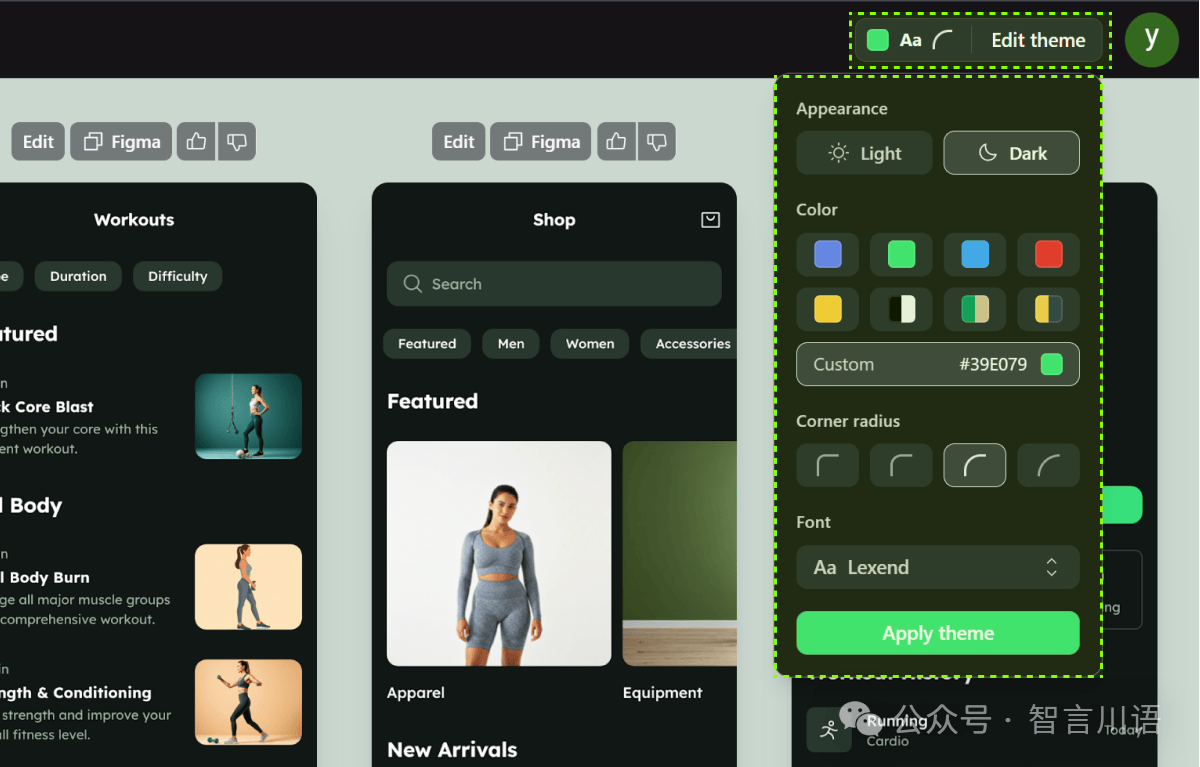
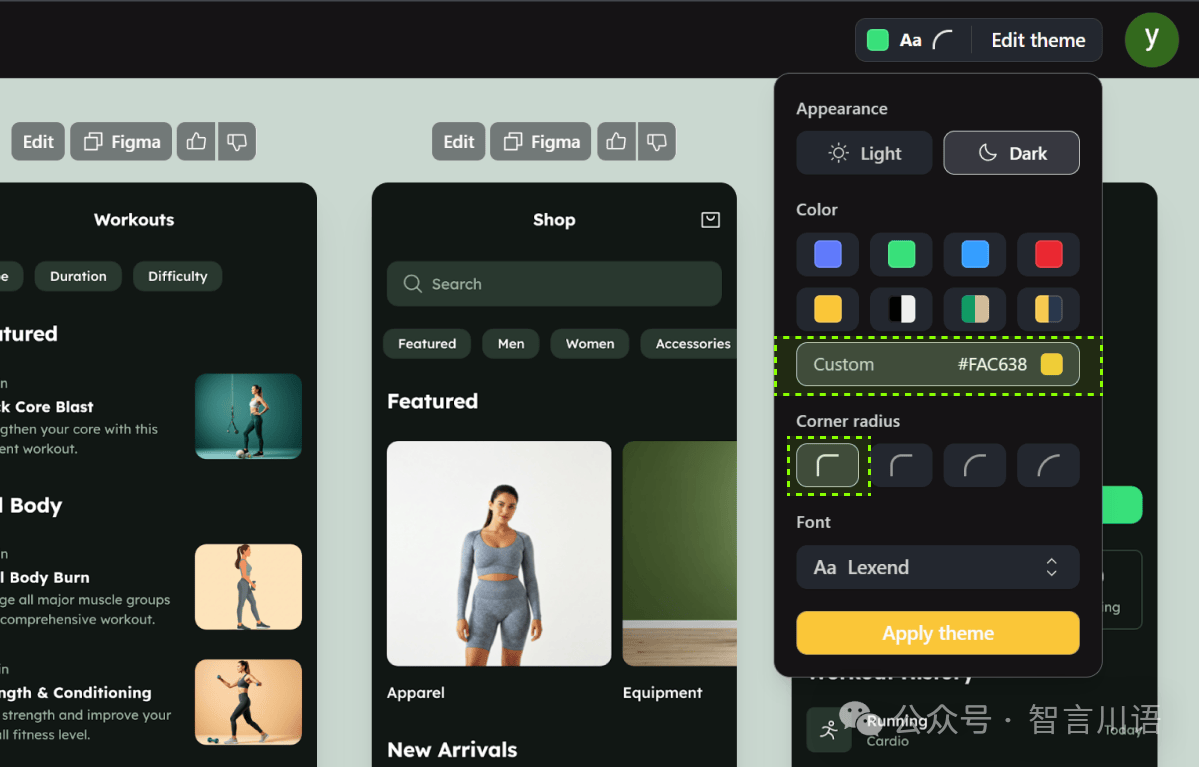
最终生成的效果是:在不改变页面结构的前提下,重新应用了我设置的主题色和卡片圆角。
也就是说,Google Stitch 能在已有基础上做定向调整,而不是每次都从头生成,这点我觉得非常实用。
这种“保留已有设计 + 局部微调”的能力,真的值得其他 AI 工具好好学学。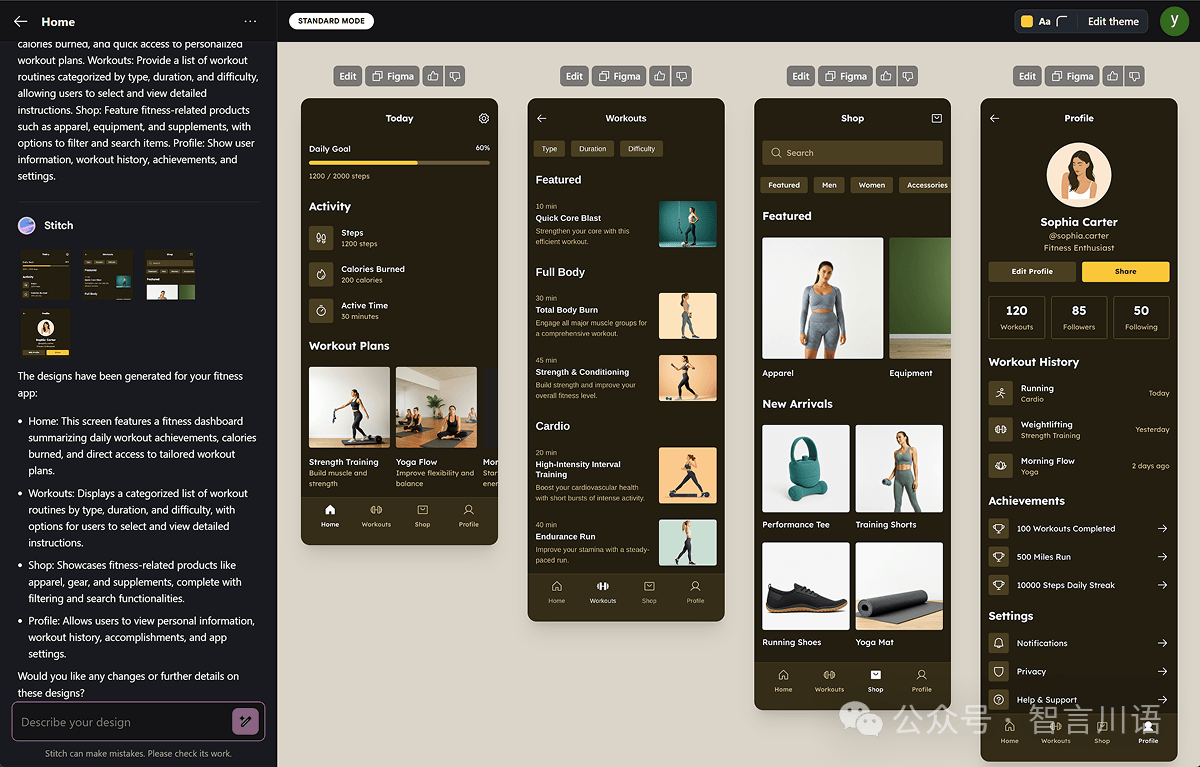
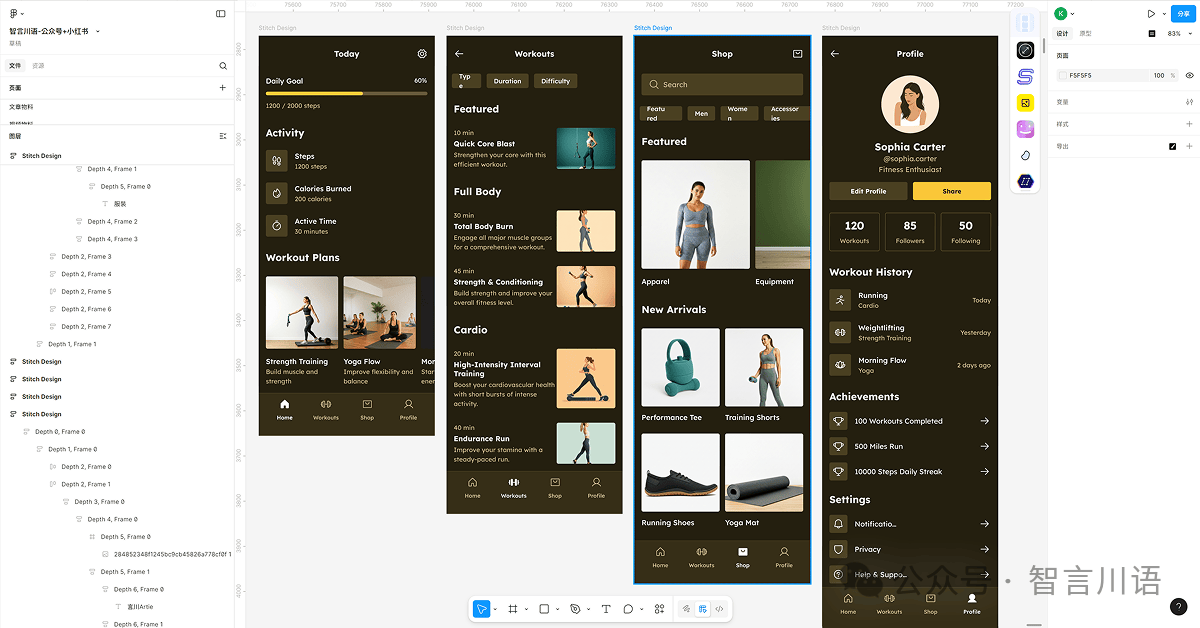
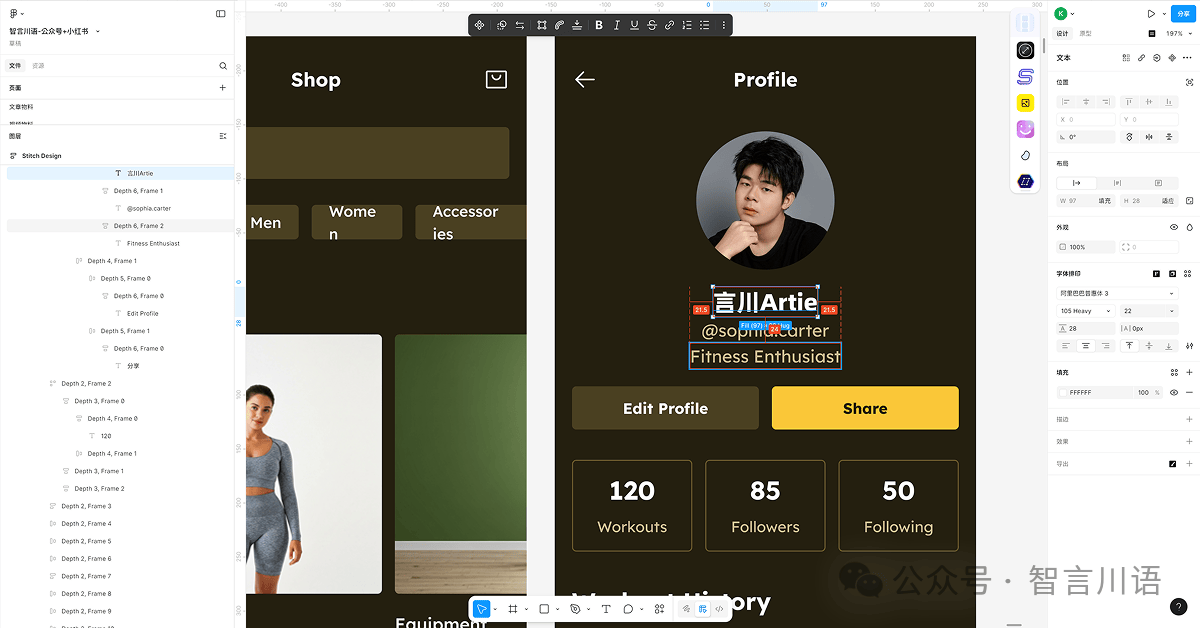
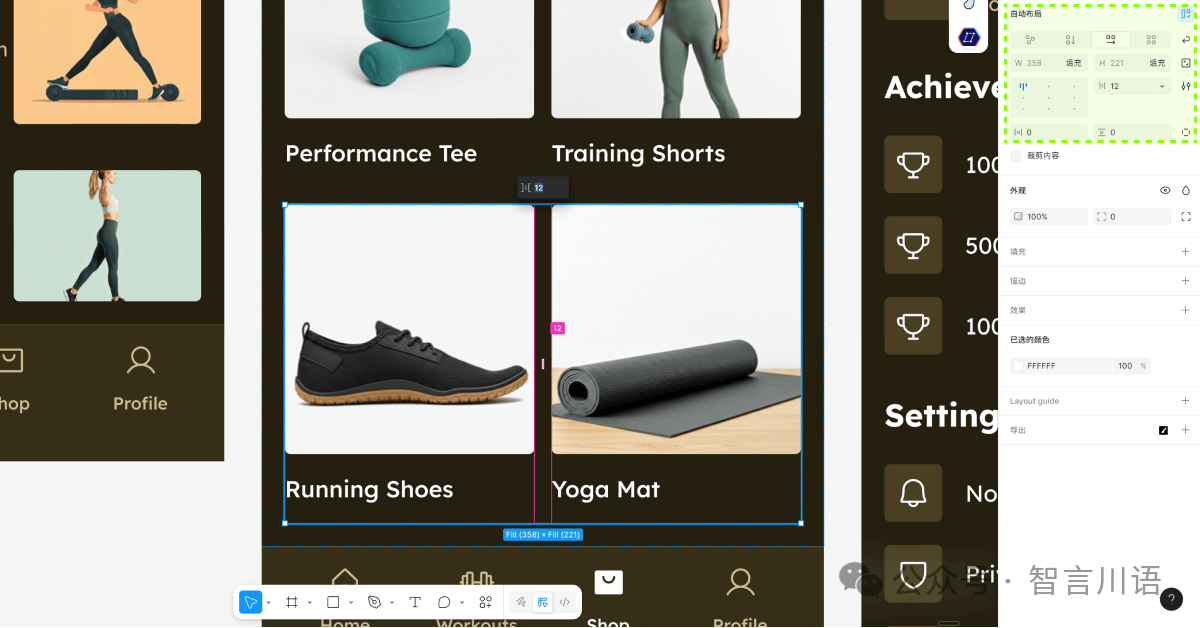
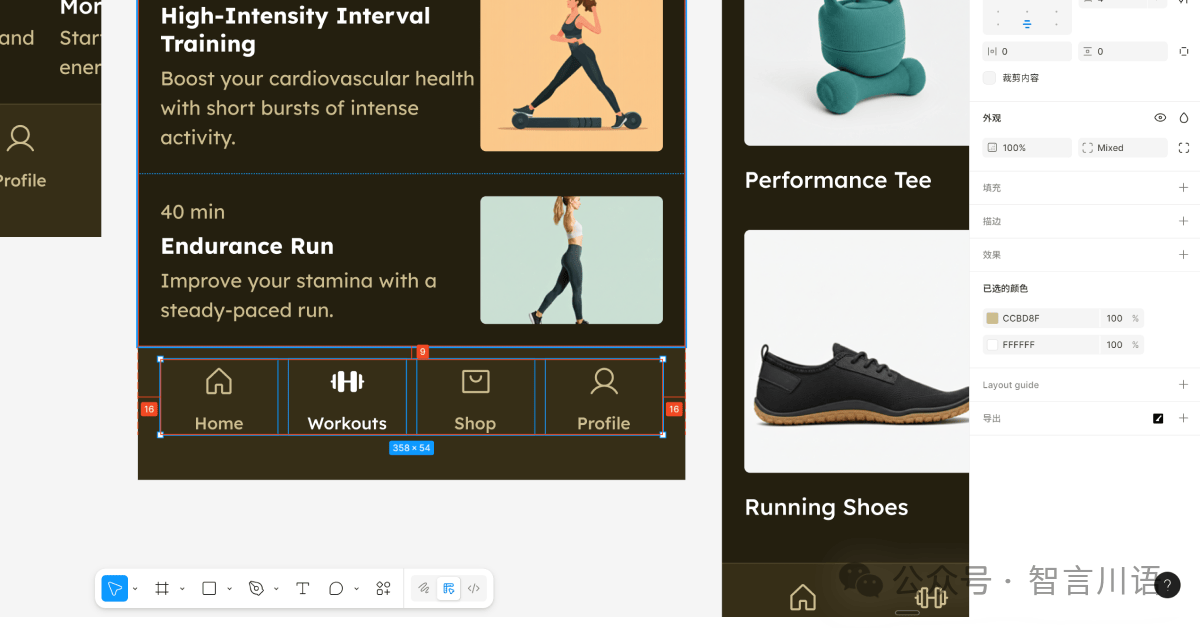
除此之外,Google Stitch 其实也支持中文语言的切换,不过这个指令极其不稳定。
也就是会出现我这种情况。本来我是想通过一个案例来跑完整个操作流程的,但它给我卡在这了......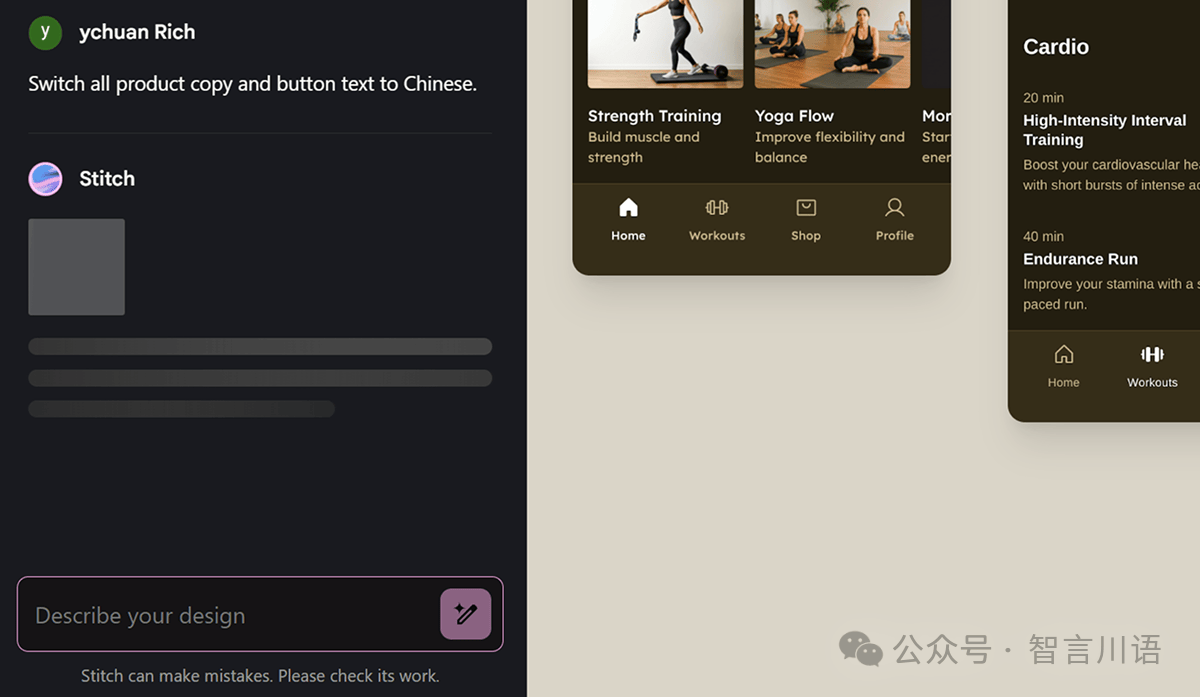
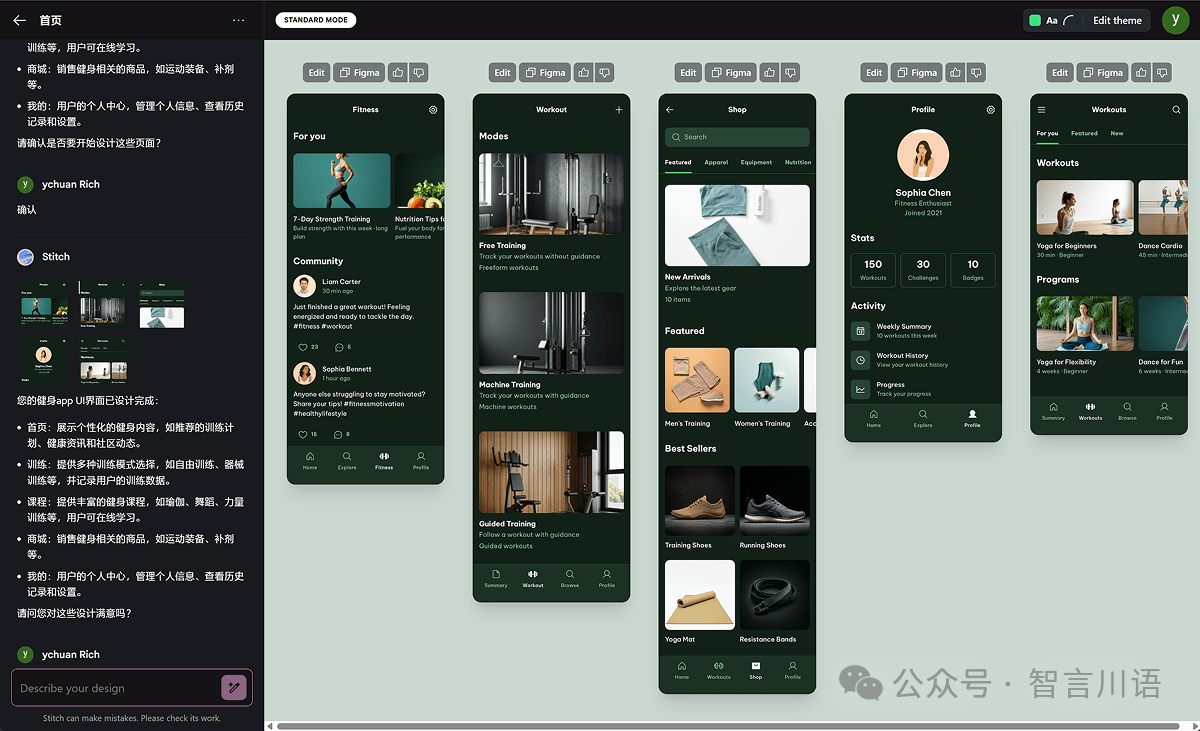
然后我给他输入了提示词:
Prompt:Switch all product copy and button text to Chinese.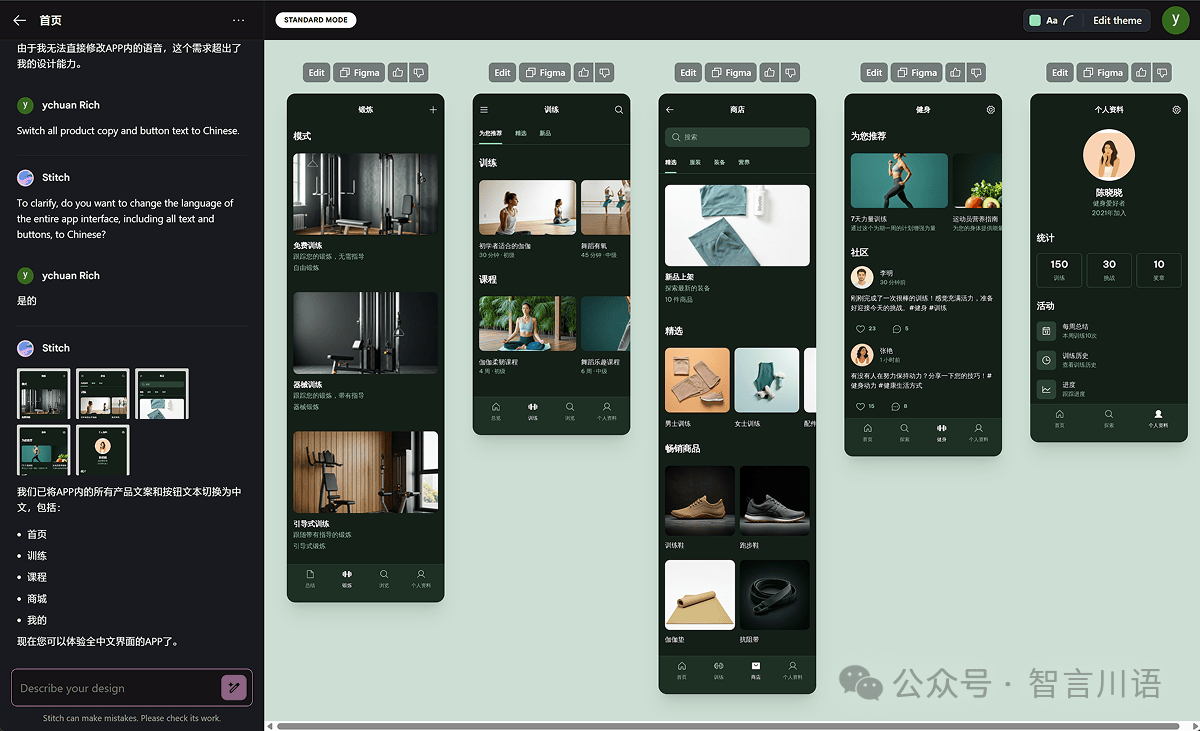
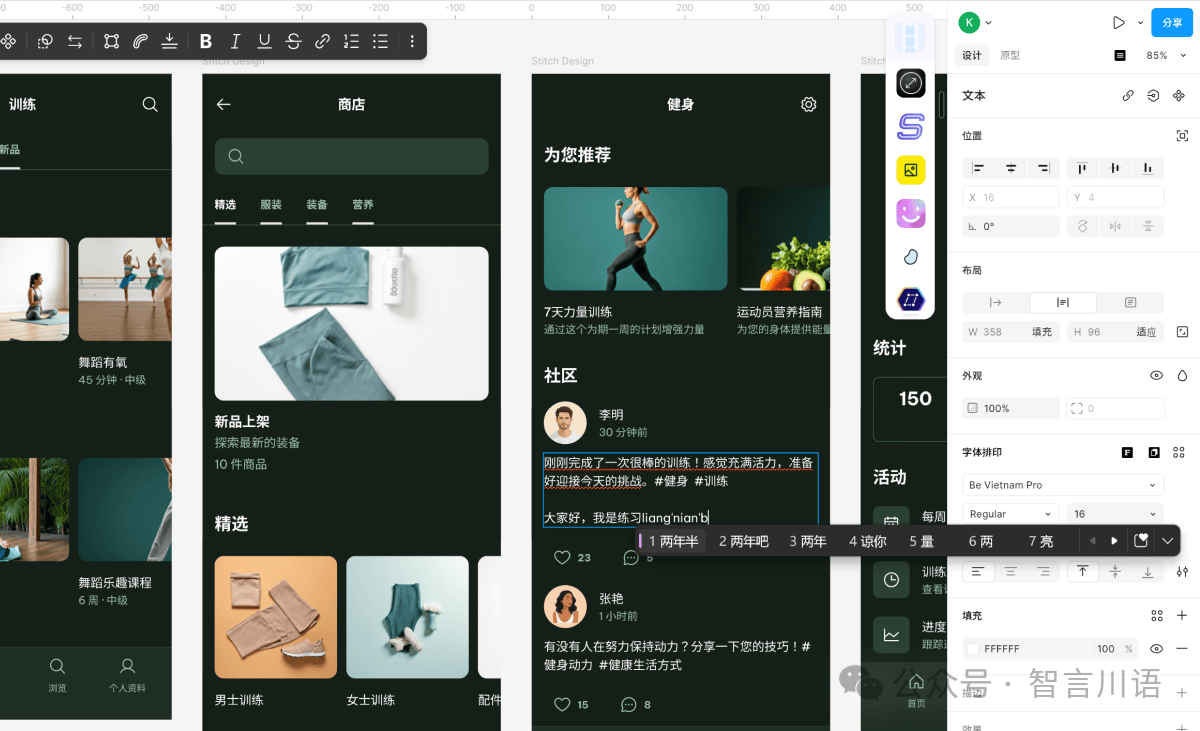
移动端的案例就到这,我是推荐你们去玩玩的,现在还是 Beta 免费用,此时不玩更待何时。
再测试个后台管理系统。回到首页,输入提示词,并选择将选项设置为“Web”。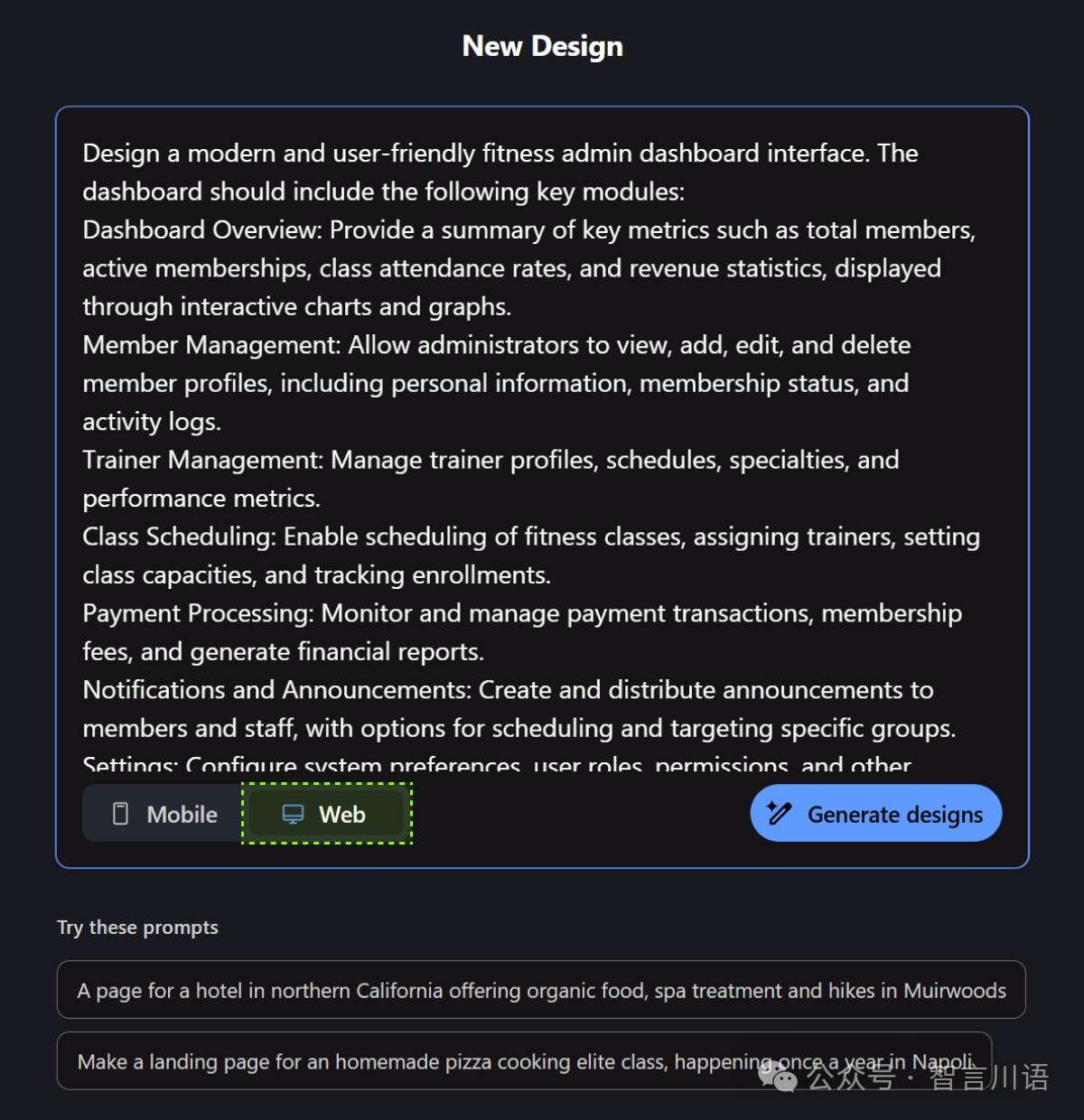
提示词用 ChatGPT 写的,生成提示词的指令是:“我要用 Google Stitch 生成健身后台管理系统的界面,给我提示词”。
Prompt:Design a modern and user-friendly fitness admin dashboard interface. The dashboard should include the following key modules:
- Dashboard Overview: Provide a summary of key metrics such as total members, active memberships, class attendance rates, and revenue statistics, displayed through interactive charts and graphs.
- Member Management: Allow administrators to view, add, edit, and delete member profiles, including personal information, membership status, and activity logs.
- Trainer Management: Manage trainer profiles, schedules, specialties, and performance metrics.
- Class Scheduling: Enable scheduling of fitness classes, assigning trainers, setting class capacities, and tracking enrollments.
- Payment Processing: Monitor and manage payment transactions, membership fees, and generate financial reports.
- Notifications and Announcements: Create and distribute announcements to members and staff, with options for scheduling and targeting specific groups.
- Settings: Configure system preferences, user roles, permissions, and other administrative settings.
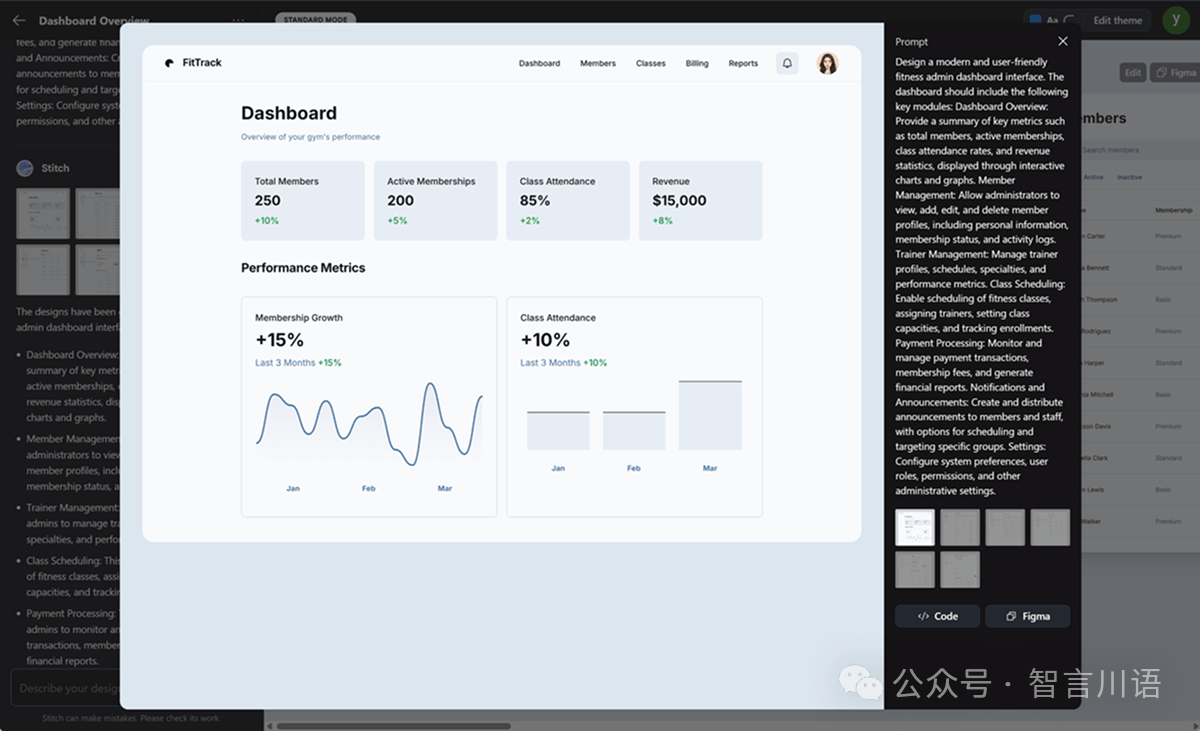
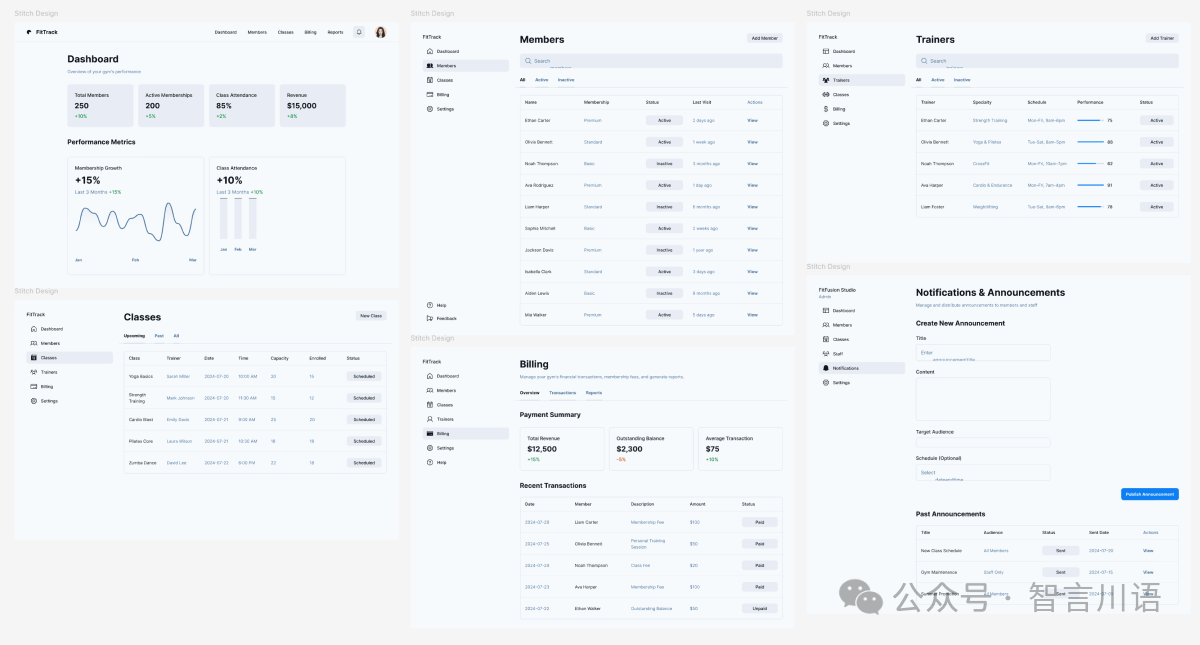
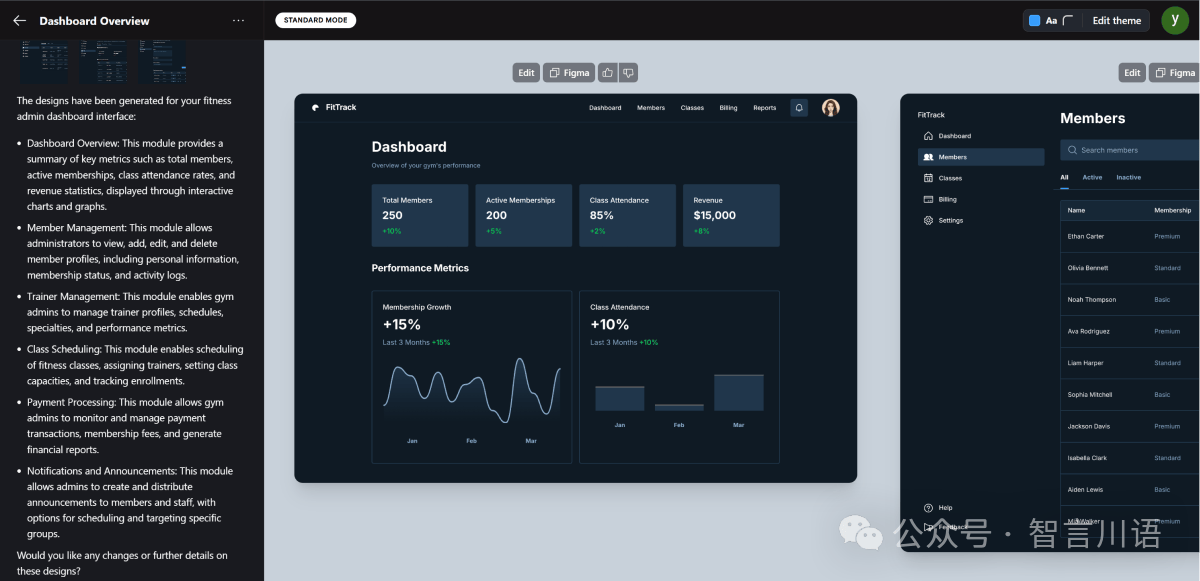
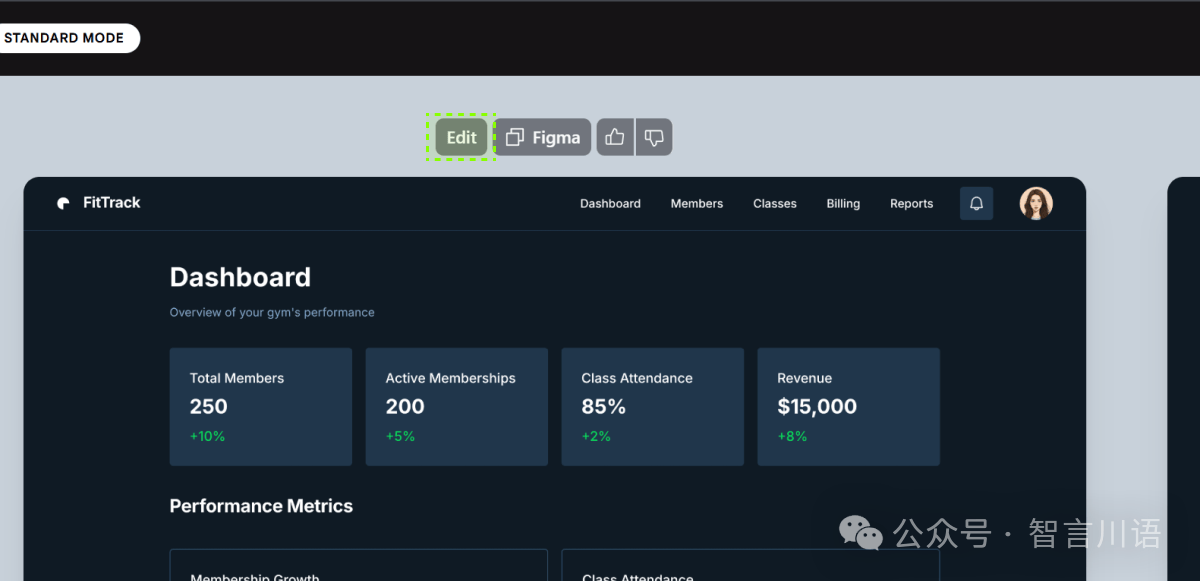
点击“Edit”,它会将这张图片发送到提示词输入框中,然后你可以输入你的修改指令,这次直接用中文指令试试:
Prompt:我需要在顶部导航栏中加一个搜索框。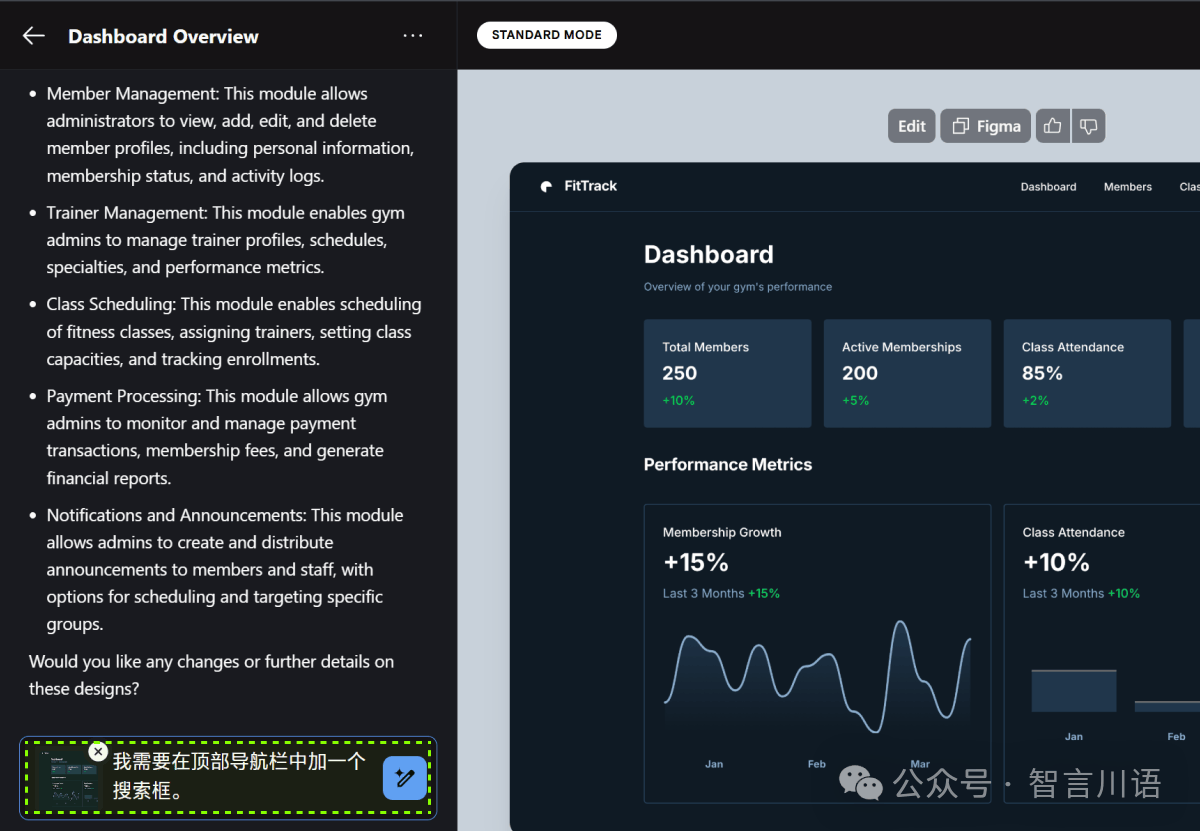
说实话,上午测的时候是可以的,下午再测就不行了。
Google 这次发布的产品,真就有地域、语言的限制,大语言模型早就已经进化到多模态了,不可能听不懂中文。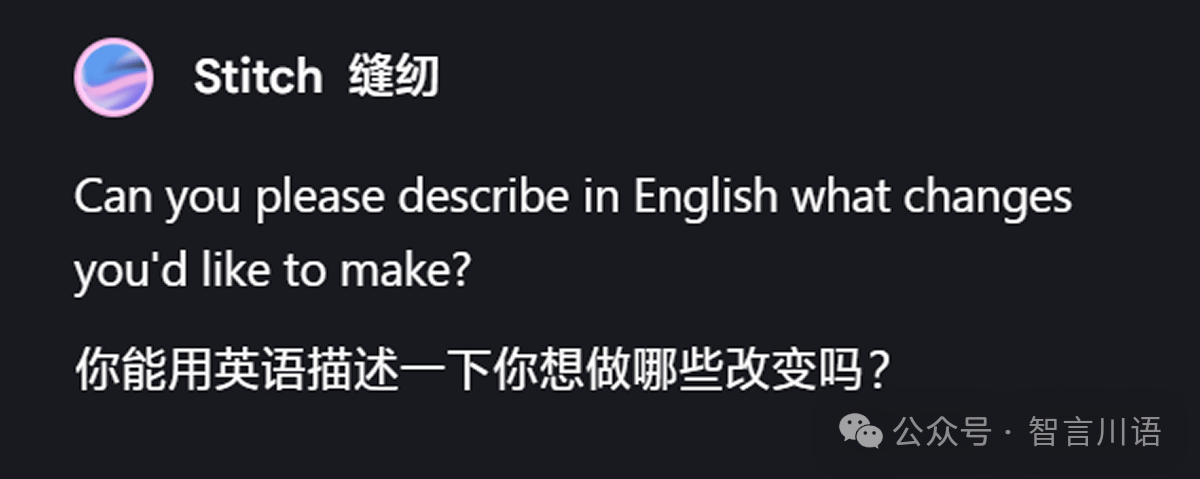
那就换成英文提示词吧:
Prompt:I need to add a search box in the top navigation bar.
顶部的搜索栏中已经添加了搜索框,并且他还重新修改了顶部标签的布局,这种动态的调整我觉得是做的非常好的,总之就是严格遵循了 UI 设计中的规范。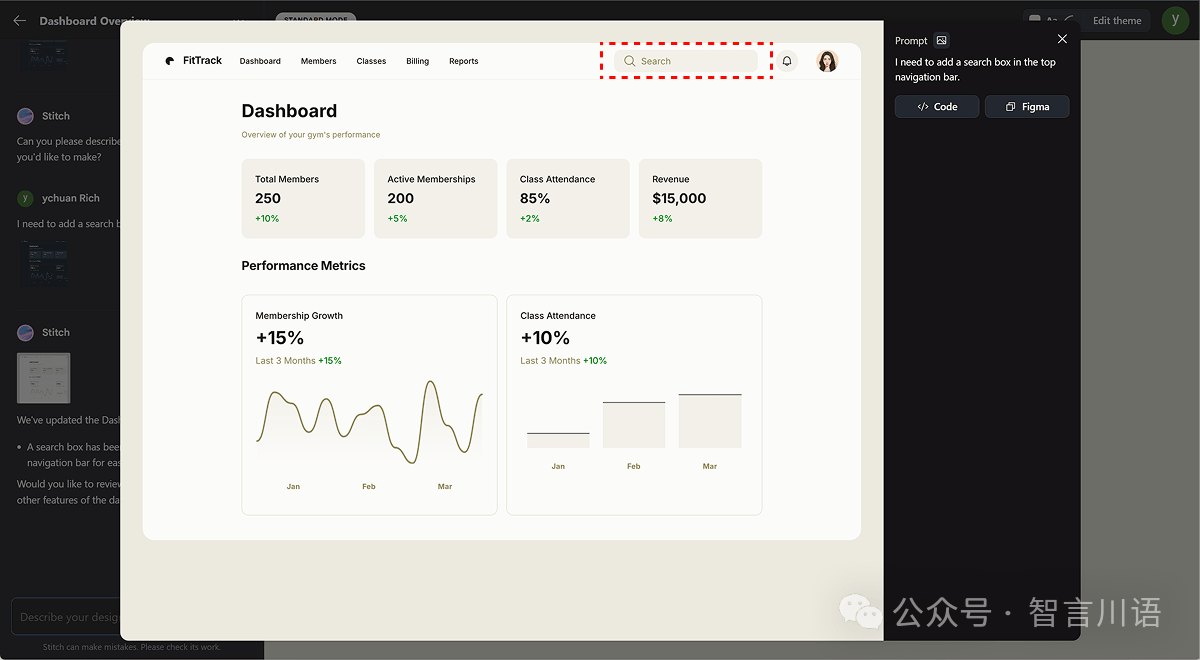
不过,这个案例中出现了点小问题:我原本是想编辑之前那套暗色系的界面,结果它直接给我换成了浅色主题。
这也不能怪它,毕竟现在的 Google Stitch 还处于 Beta 阶段,有点小 BUG 很正常。
再换个官网设计的需求,输入提示词:
Prompt:Design a modern, responsive fitness website featuring a homepage with a compelling call-to-action, sections for classes, trainers, membership plans, testimonials, and a contact form.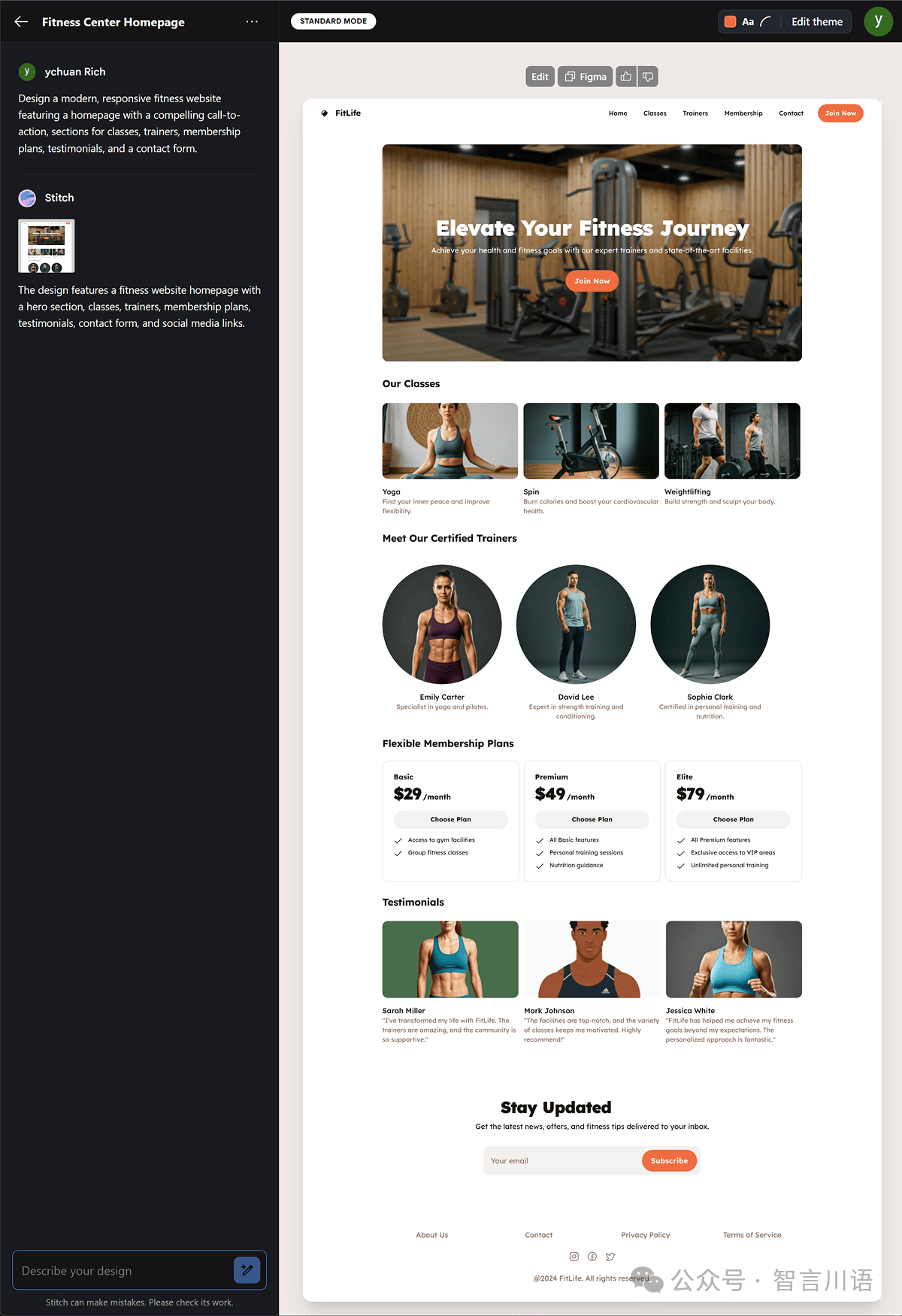
上述是用 Standard Mode 生成的,接下来用 Experimental Mode 测试下。
Experimental Mode 使用的是 Gemini 2.5 Pro ,在生图速度上慢于 Standard Mode ,支持图生图,但目前还不能复制到 Figma 中以及不能修改主题颜色等功能。
先用文生图测试下效果,选择 Experimental Mode ,跑个移动端的案例。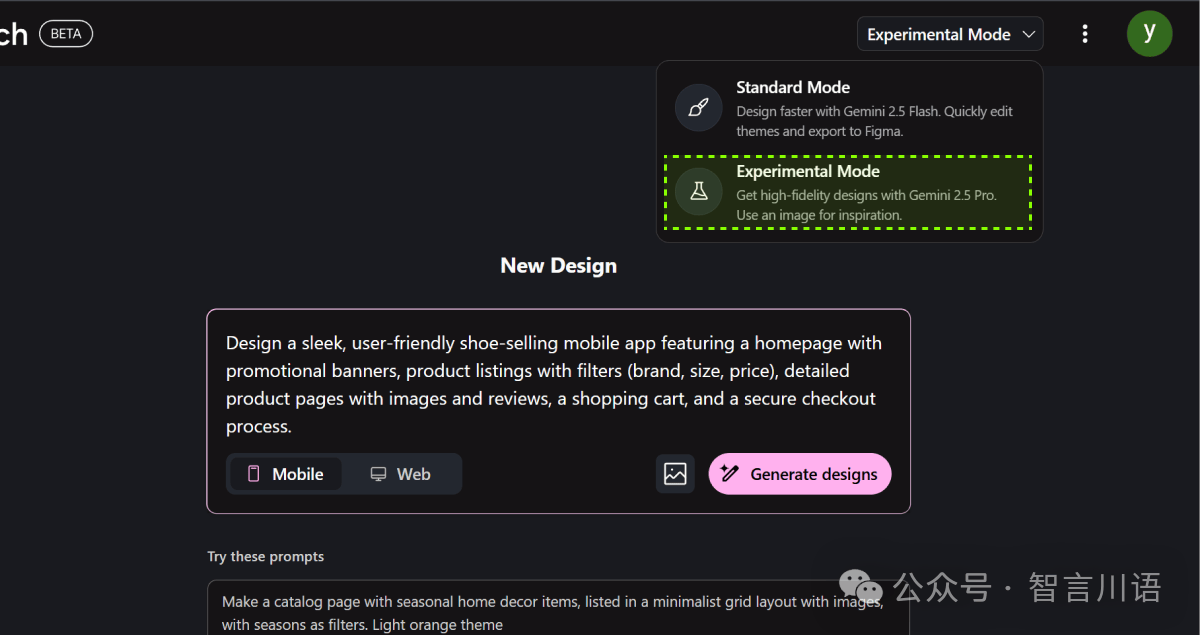
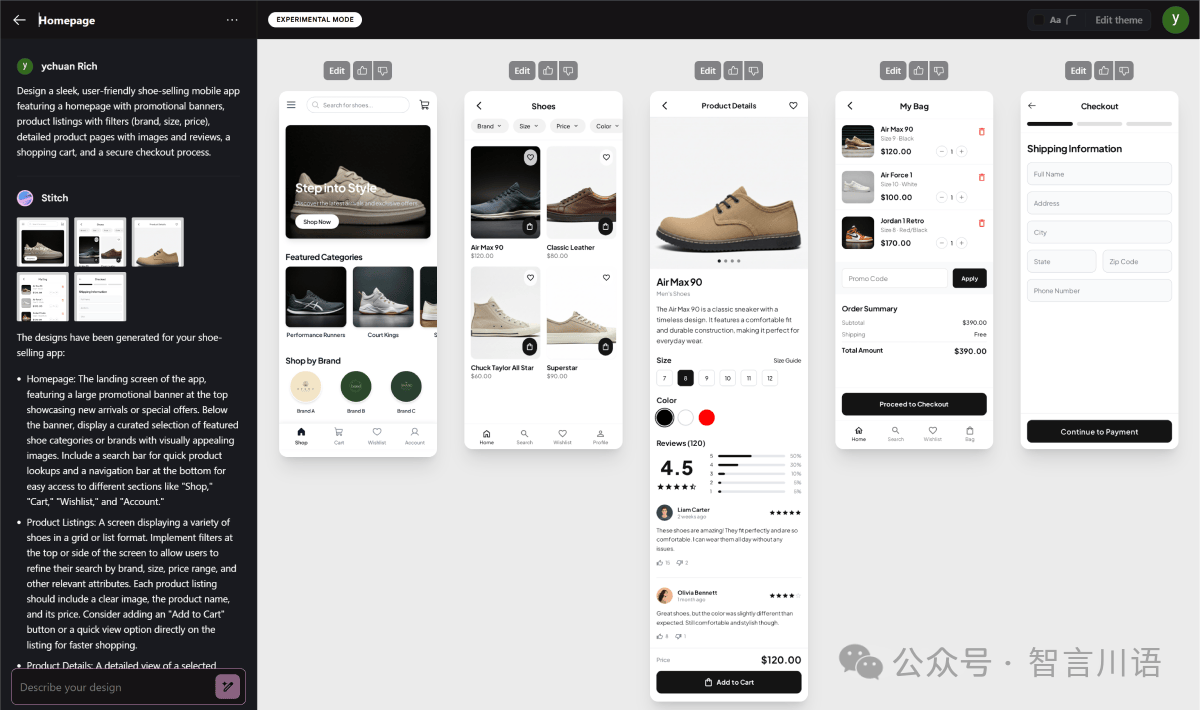
生成的效果表现极其出色,毕竟 Gemini 2.5 Pro 目前是 Google 最强大的模型。
再试试图生图,这次我直接给它扔一张 UI 图,让它完全按照参考图的风格和内容进行生成。
Prompt:Please analyze the uploaded UI design image and generate a new app interface that closely mirrors its style and layout. Maintain the same color scheme, typography, iconography, and overall aesthetic. Ensure that the new design includes equivalent components and follows the same structural hierarchy as the reference image.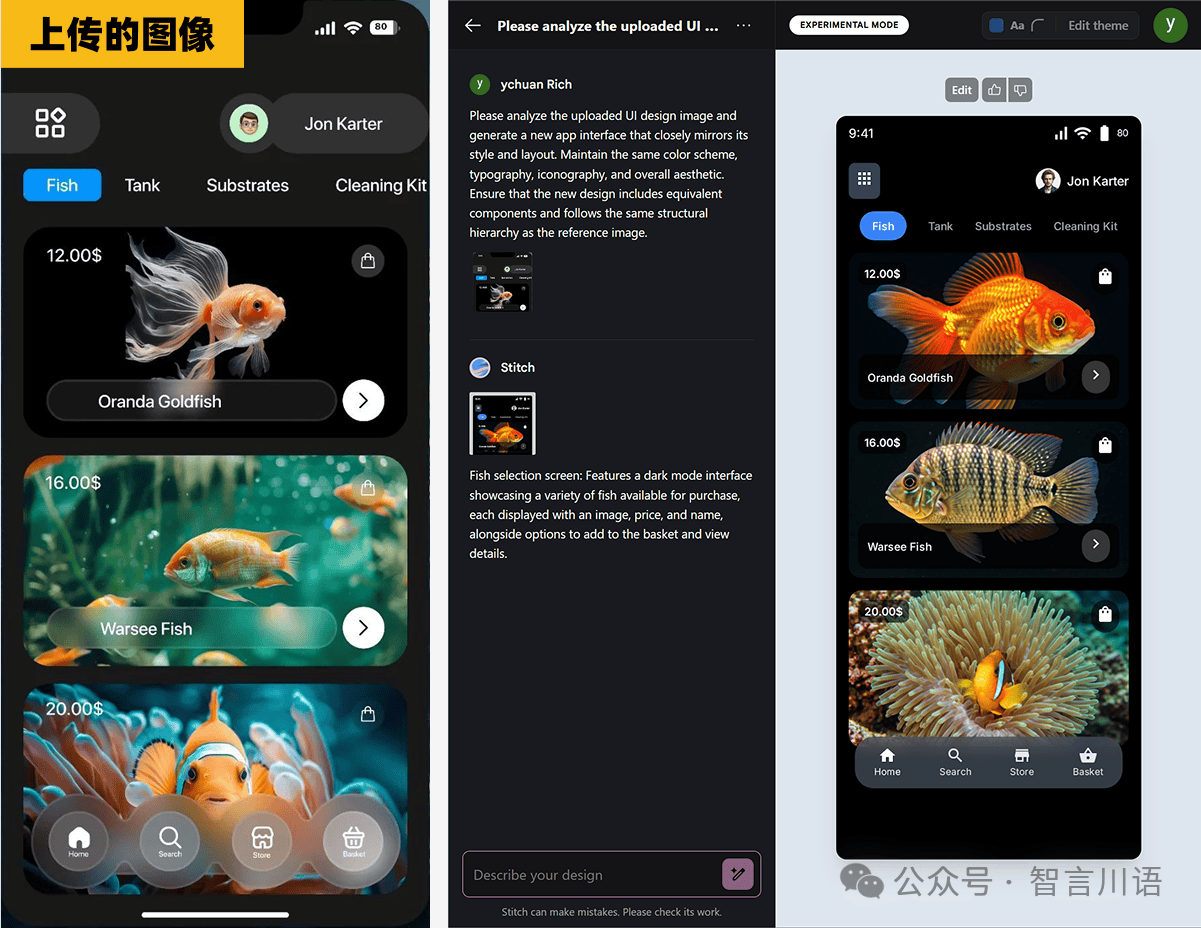
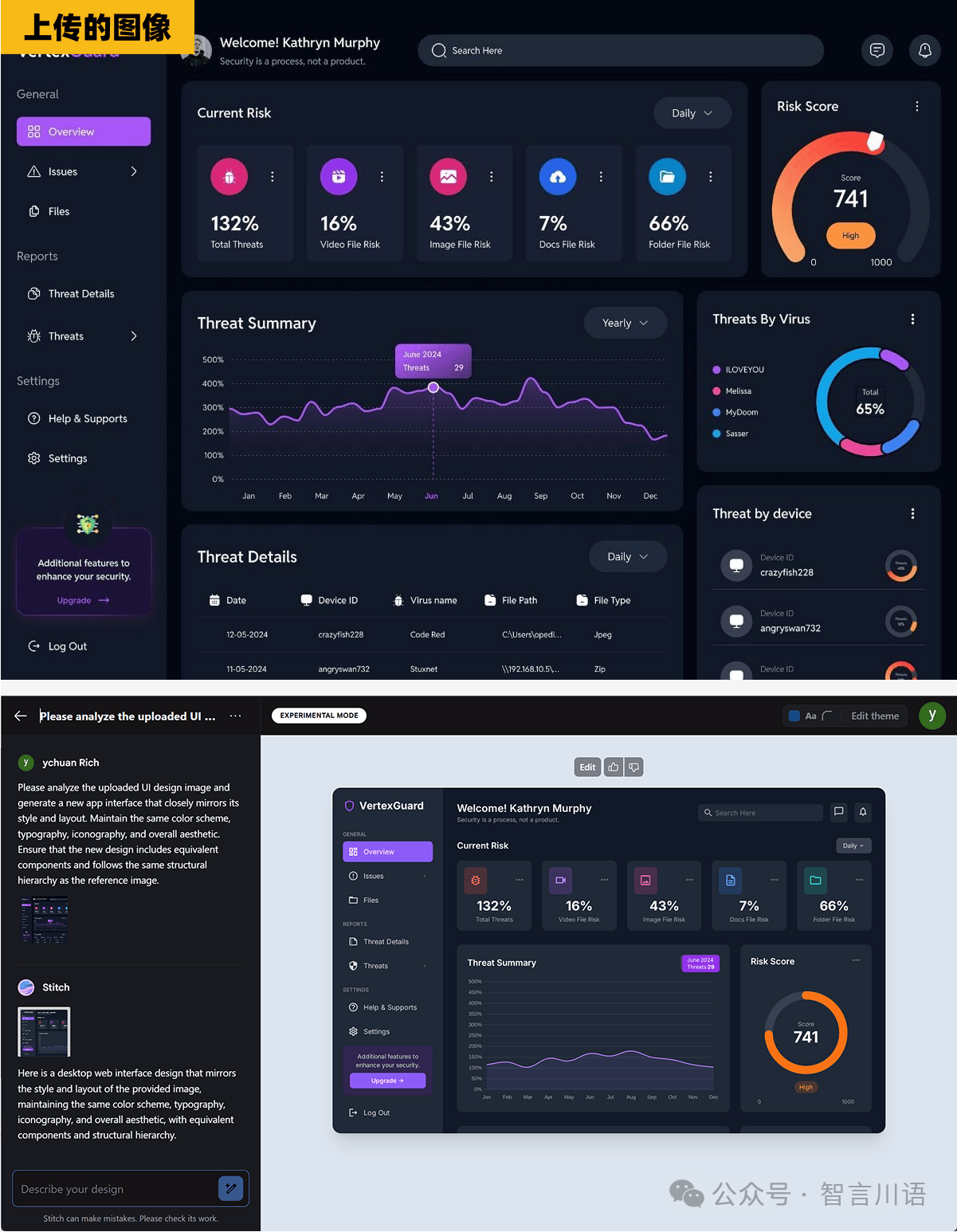
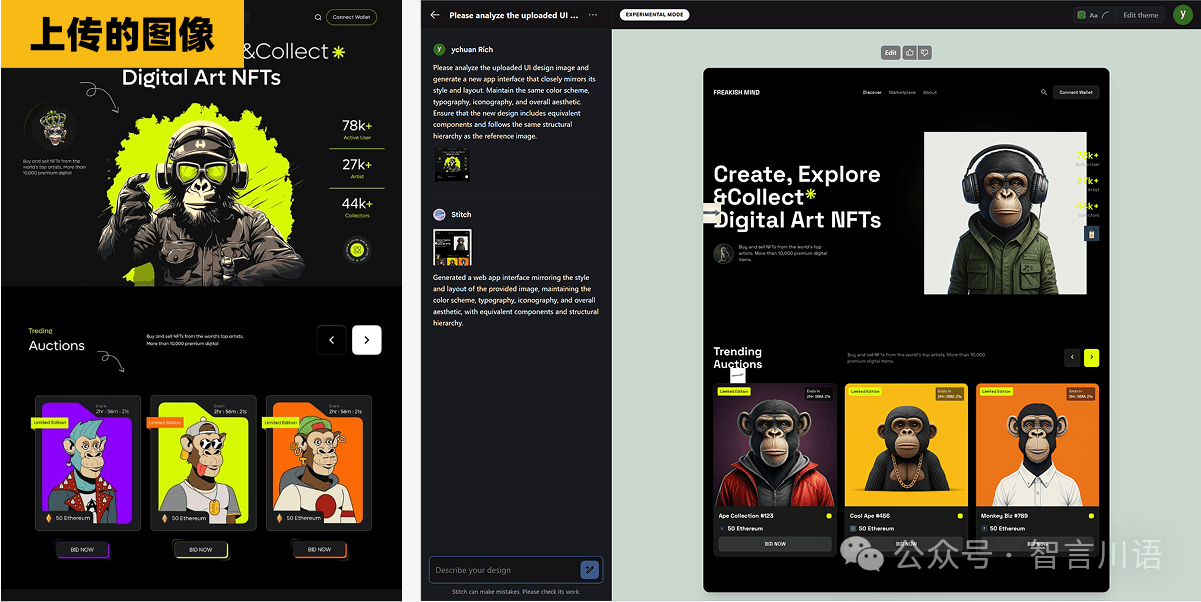
这个模式的体验,更像是 Midjourney 或 GPT-4o 那类图像生成模型——输出的只是 一张图片,而不是可以直接编辑的设计源文件。
相比之下,它的实用性确实不如 Standard Mode,目前来看,更适合用来做设计参考或灵感图。
以上就是本期分享的全部内容。
整体来看,它确实展现了 Google 在 AI + 设计领域的技术野心,尤其是 Standard Mode,不论是生成速度、可编辑性,还是跟 Figma 的衔接体验,都很有实用价值。
当然,Experimental Mode 虽然还略显“半成品”,但也能看出未来图生图方向的潜力。
目前 Stitch 还处于 Beta 阶段,问题在所难免,但如果 Google 肯持续打磨下去,这玩意真可能会成为设计师工作流里的一个强力工具。
声明:本站所有文章,如无特殊说明或标注,均为本站作者原创发布。任何个人或组织,在未征得本站同意时,禁止复制、盗用、采集、发布本站内容到任何网站、书籍等各类媒体平台。本文来自作者自媒体,不代表UIED观点和立场。 如若本站内容侵犯了原著者的合法权益,可联系我们进行处理以减少您的损失。
标签
评论 0
最新评论登录后发布评论并参与互动。
暂无评论,欢迎抢沙发。