
如何免费使用ChatGPT代码解释器

设计干货

文章部分来源网络,仅供学习。2024-02-01浏览 22841,345 字 · 约 5 分钟
…
- 步骤 1:设置代码解释器 API
- 步骤 2:免费运行 ChatGPT 代码解释器
- 步骤 3:使用代码解释器 API 进行数据分析
下一步工作前的注意事项 1. 我们使用的是 GitHub 上免费开源的 Code Interpreter API 项目(请访问)。它使用了 CodeBoxes、OpenAI 的 API、LangChain Agents 和多个 Python 软件包,其行为类似于 ChatGPT 的代码解释器。 2. 对于小数据集来说,它运行得很好,而且不收取任何费用。但是,当你抛出一个大数据集进行分析时,OpenAI 对免费用户的费率限制会阻碍操作。因此,如果您打算使用它来分析大量数据,请考虑在 OpenAI 账户中添加付费方式。 3. 如果您能访问 GPT-4 API,该项目就能很好地运行。不过,我对代码进行了定制,使其也能与 GPT-3.5 涡轮增压模型兼容。
步骤 1:设置代码解释器 API
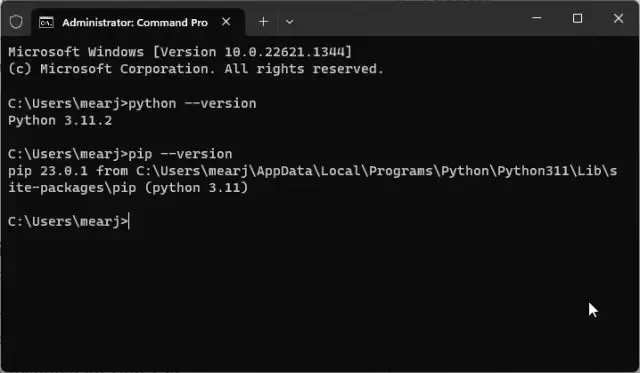
1. 首先,您需要在计算机上安装 Python 和 Pip,具体步骤请参考我们的链接教程。请确保在安装时将 python.exe 添加到 PATH。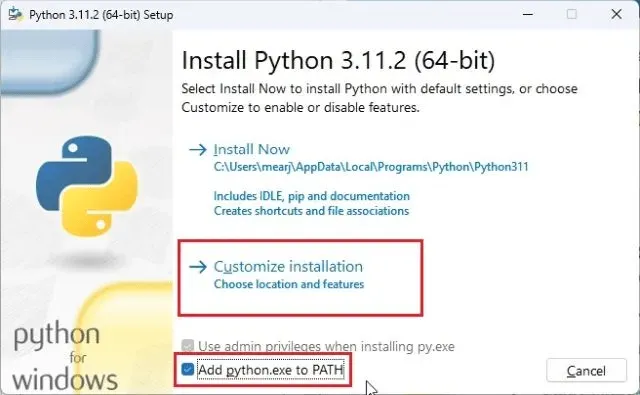
python -version
pip -version
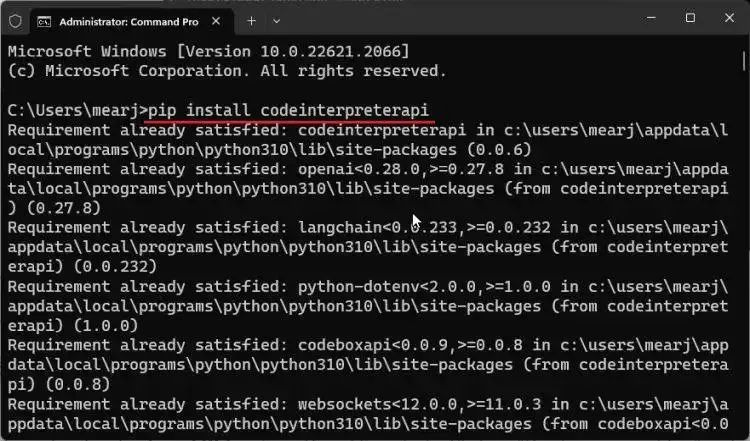
pip install codeinterpreterapi
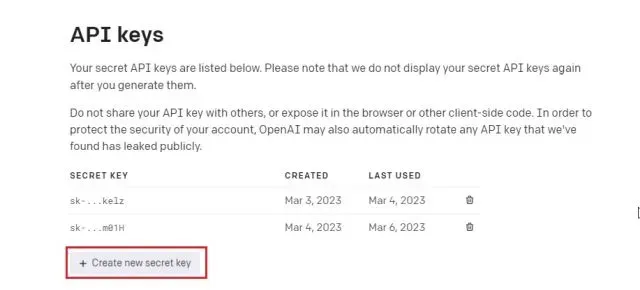
步骤 2:免费运行 ChatGPT 代码解释器
1. 完成上述操作后,就可以免费运行代码解释器 API 了。 2. 打开 Sublime Text 或 Notepad++ 等代码编辑器(下载)。
import os
os.environ["OPENAI_API_KEY"] = "PASTE THE OPENAI API KEY HERE"
from codeinterpreterapi import CodeInterpreterSession
async def main():
# create a session
session = CodeInterpreterSession(model="gpt-3.5-turbo")
await session.astart()
# generate a response based on user input
response = await session.generate_response(
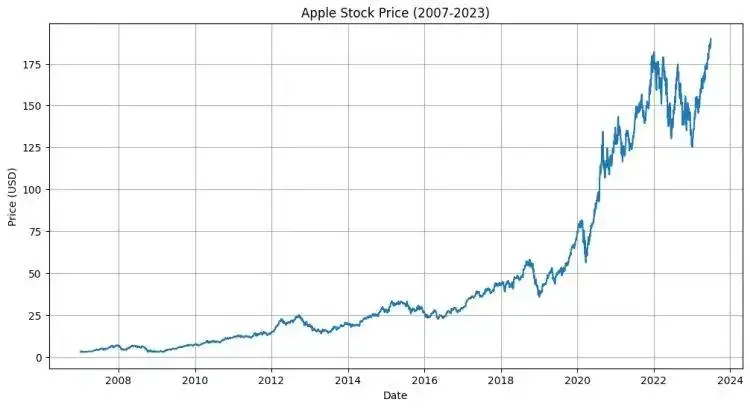
"Plot the Apple stock price chart from 2007 to 2023 june"
)
# output the response (text + image)
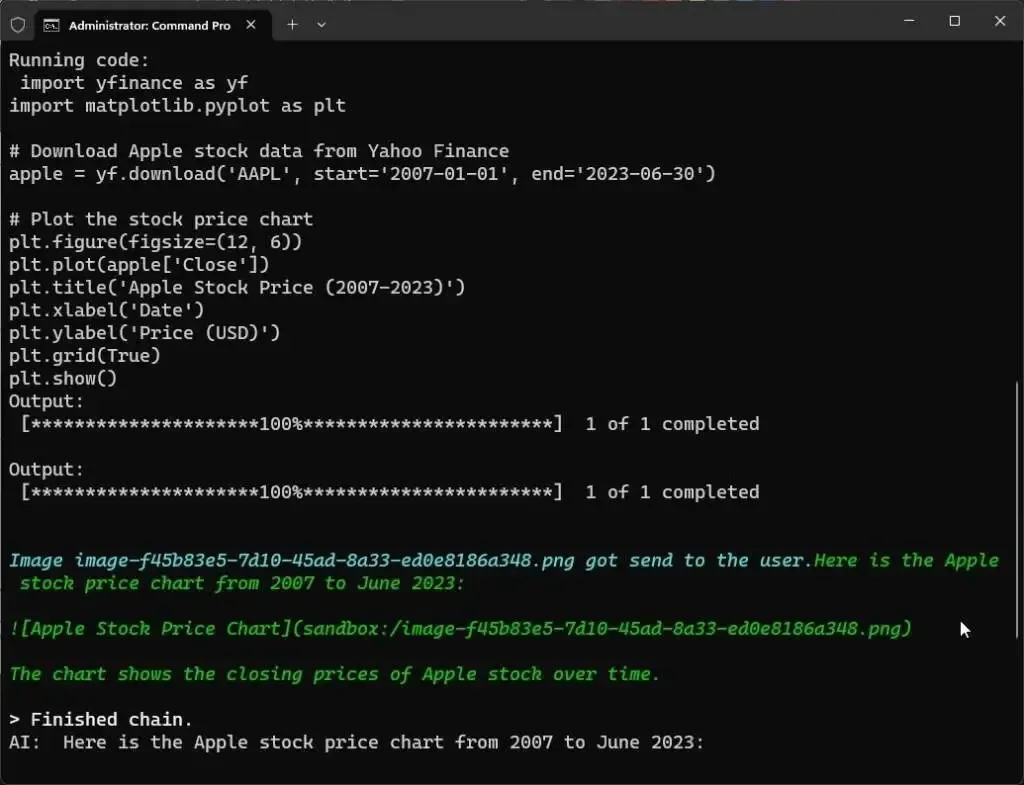
print("AI: ", response.content)
for file in response.files:
file.show_image()
# terminate the session
await session.astop()
if __name__ == "__main__":
import asyncio
# run the async function
asyncio.run(main())
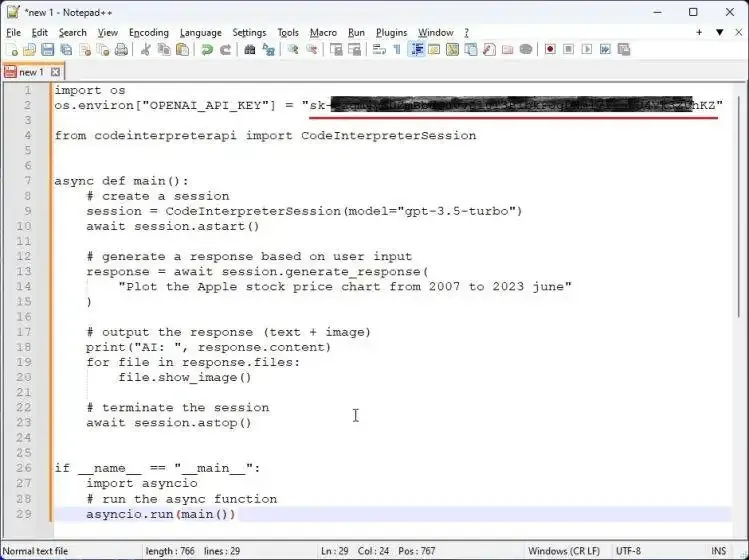
4. 我用红色标出了需要修改的代码。首先,在第二行粘贴 OpenAI API 密钥。
5. 之后,如果可以访问 GPT-4 API,则可以在第九行定义 “gpt-4” 模型。最后,在第 14 行,您可以输入您的查询并定义要创建的内容。
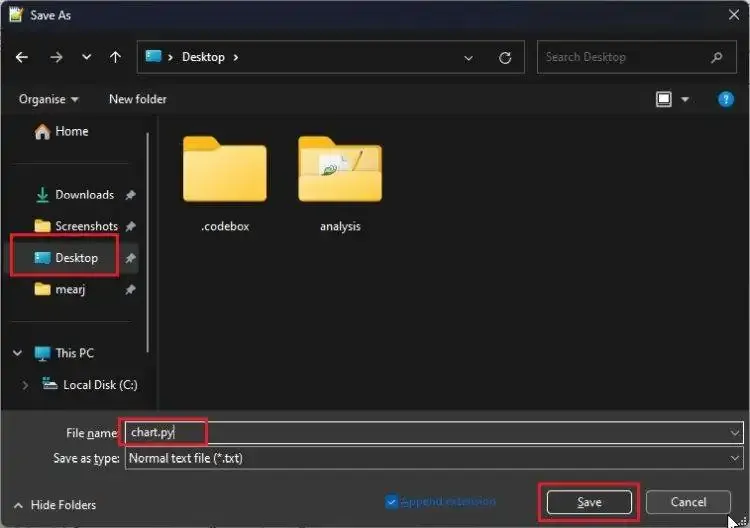
.py 扩展名。
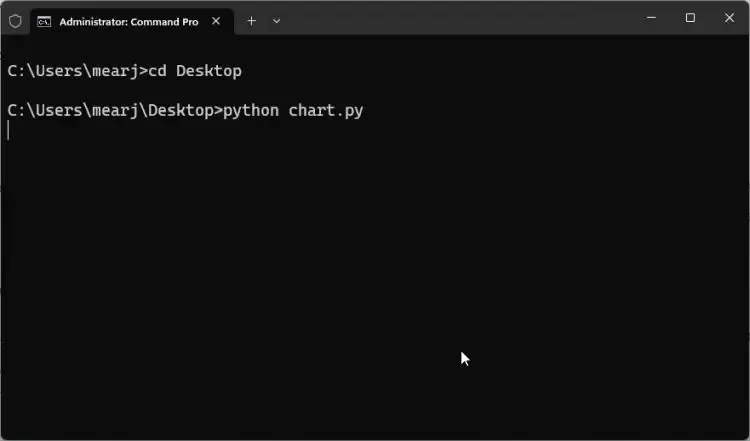
cd Desktop
python chart.py
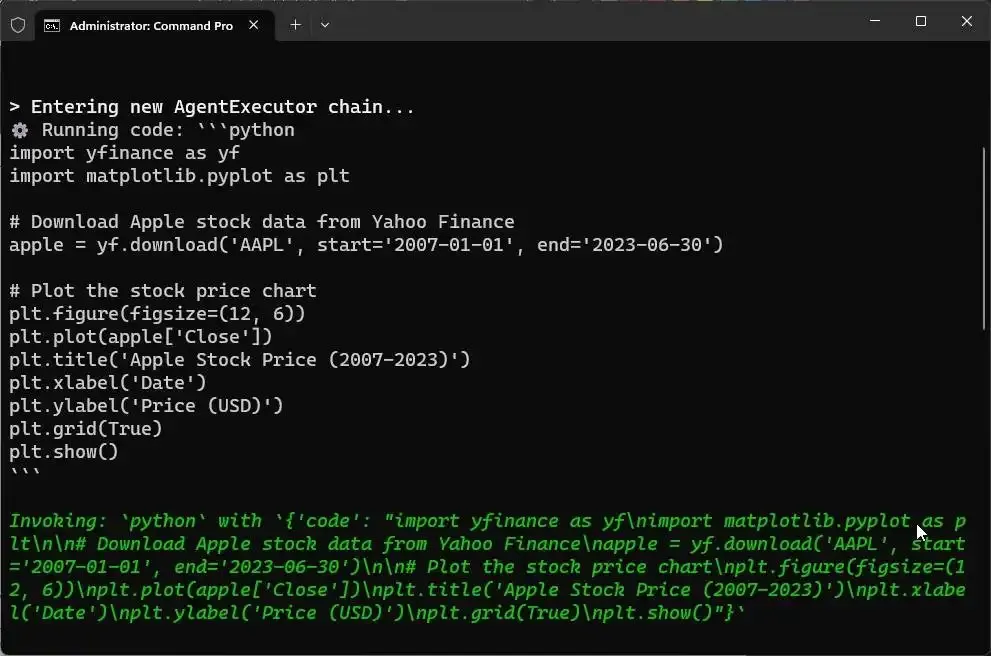
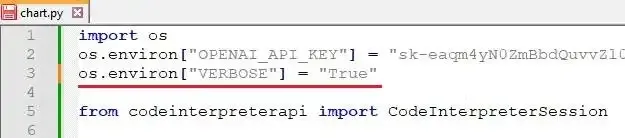
os.environ["VERBOSE"] = "True"

步骤 3:使用代码解释器 API 进行数据分析
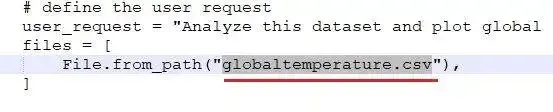
1. 您还可以免费使用本地数据进行数据分析。为此,请在桌面上创建一个名为 “analysis” 的文件夹。 2. 现在,将数据集移动到 “analysis” 文件夹。数据集可以是 CSV、XSL 或 XSLX 格式。例如,我们将在 “analysis” 文件夹中使用 “globaltemperature.csv” 文件。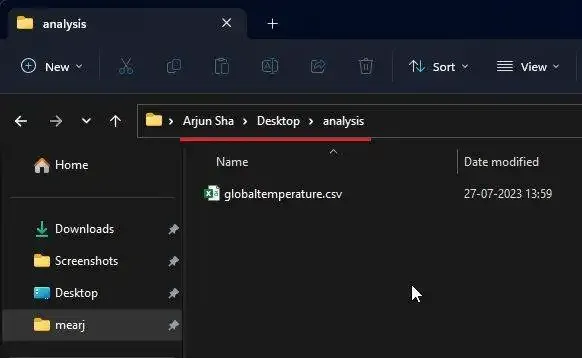
import os
os.environ["OPENAI_API_KEY"] = "PASTE THE OPENAI API KEY HERE"
from codeinterpreterapi import CodeInterpreterSession, File
async def main():
# context manager for auto start/stop of the session
async with CodeInterpreterSession(model="gpt-3.5-turbo") as session:
# define the user request
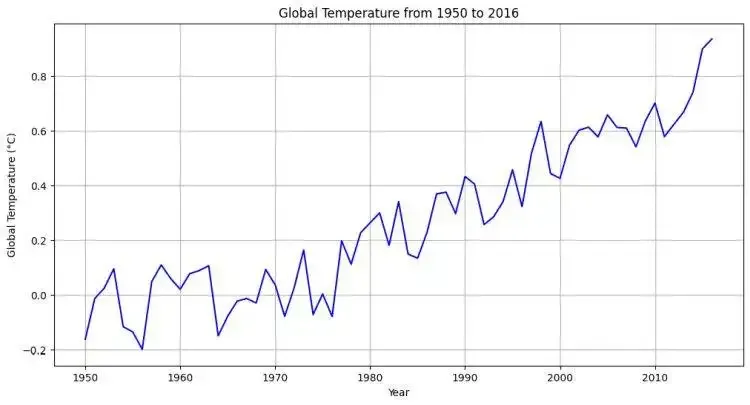
user_request = "Analyze this dataset and plot global temperature from the year 1950 to 2016. Consider the GCAG system."
files = [
File.from_path("globaltemperature.csv"),
]
# generate the response
response = await session.generate_response(
user_request, files=files
)
# output to the user
print("AI: ", response.content)
for file in response.files:
file.show_image()
if __name__ == "__main__":
import asyncio
asyncio.run(main())
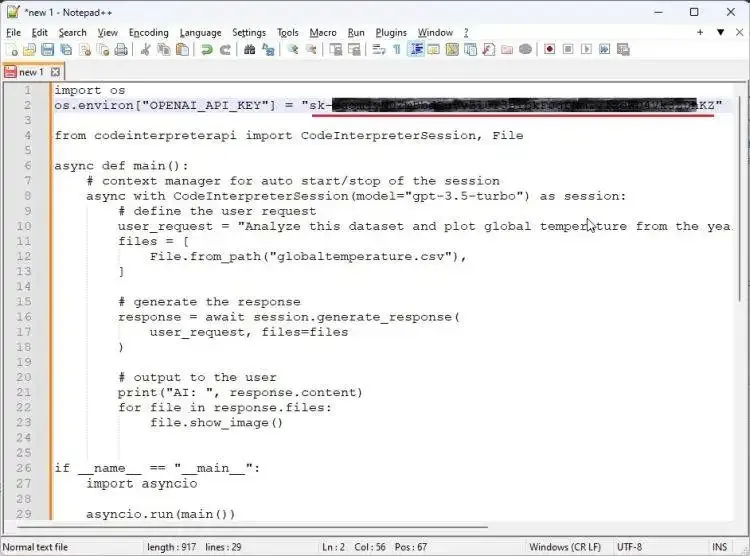
4. 在这里,您首先需要粘贴 OpenAI API 密钥。
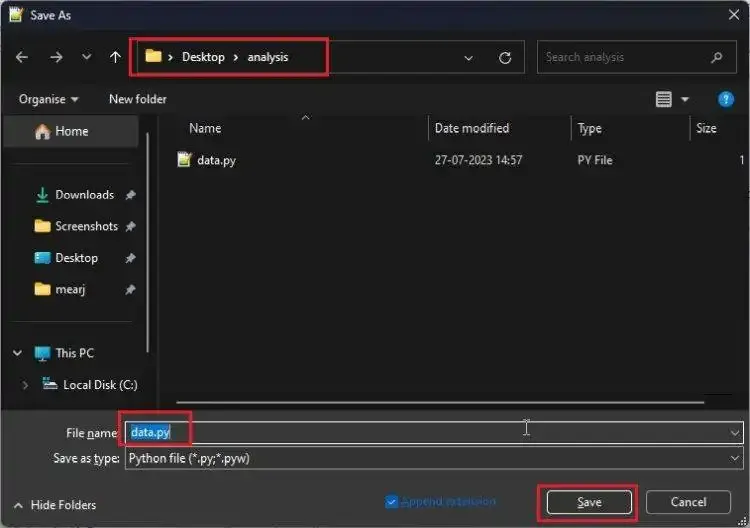
cd Desktop/analysis
python data.py

声明:本站所有文章,如无特殊说明或标注,均为本站作者原创发布。任何个人或组织,在未征得本站同意时,禁止复制、盗用、采集、发布本站内容到任何网站、书籍等各类媒体平台。本文来自作者自媒体,不代表UIED观点和立场。 如若本站内容侵犯了原著者的合法权益,可联系我们进行处理以减少您的损失。
标签




评论 0
最新评论登录后发布评论并参与互动。
暂无评论,欢迎抢沙发。