
 在结合这两个工作流程之前,让我们先看看如何将 Midjourney 图像的功能与可生成多种输出 [例如联系表、角色表视图或产品展示的不同角度] 的提示相结合。为此我们将使用 JSON 格式的提示,你也可以是纯文本。如果你想将提示转换为JSON,只需咨询 ChatGPT 即可。

简单的拍摄
我将使用以下 Midjourney 图像来做测试:
A beautiful Korean female model wearing a simple white cardigan that makes her hairstyle stand out. She has a medium-length, layered milk-brown hairstyle with many soft layers, creating a pure and innocent atmosphere. Her hair is glossy, voluminous, and detailed, shown clearly as the main focus. She stands against a clean white background with soft natural daylight. Photorealistic, ultra high-definition portrait, soft natural lighting, crystal-clear detail, minimal aesthetic --ar 2:3 --exp 10 --v 7.0
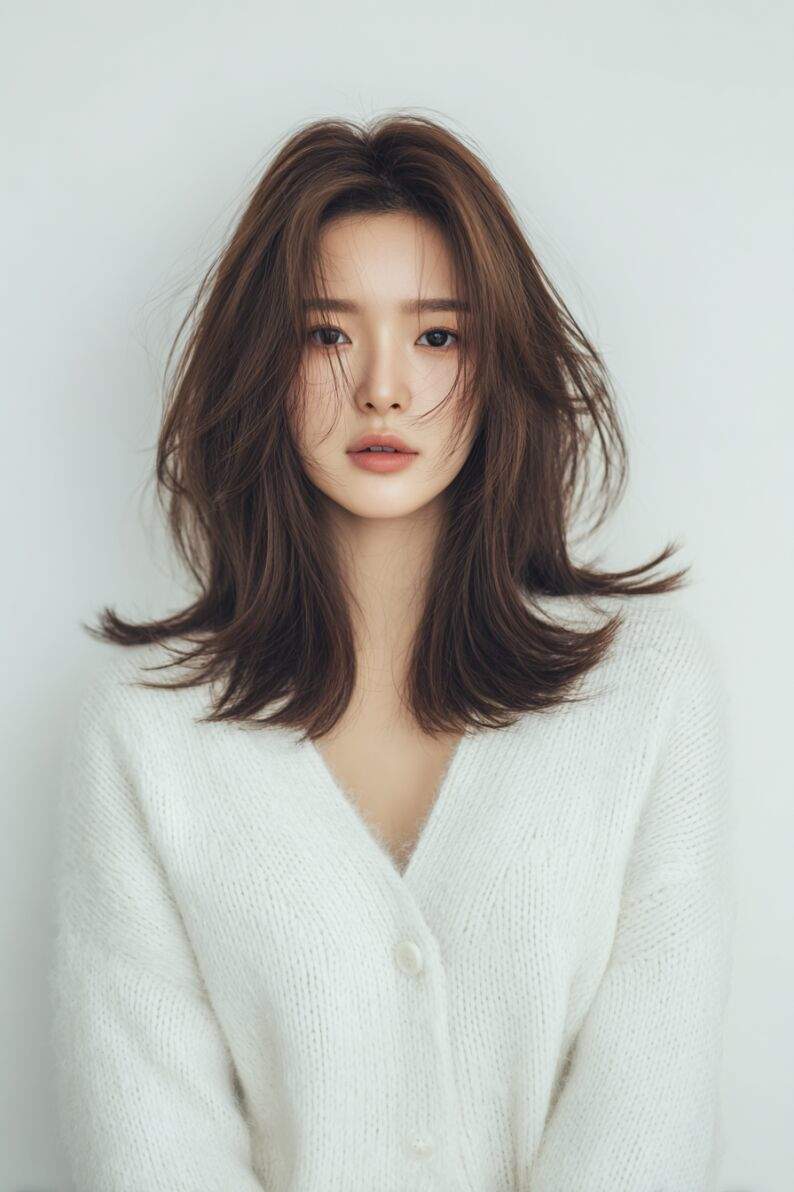
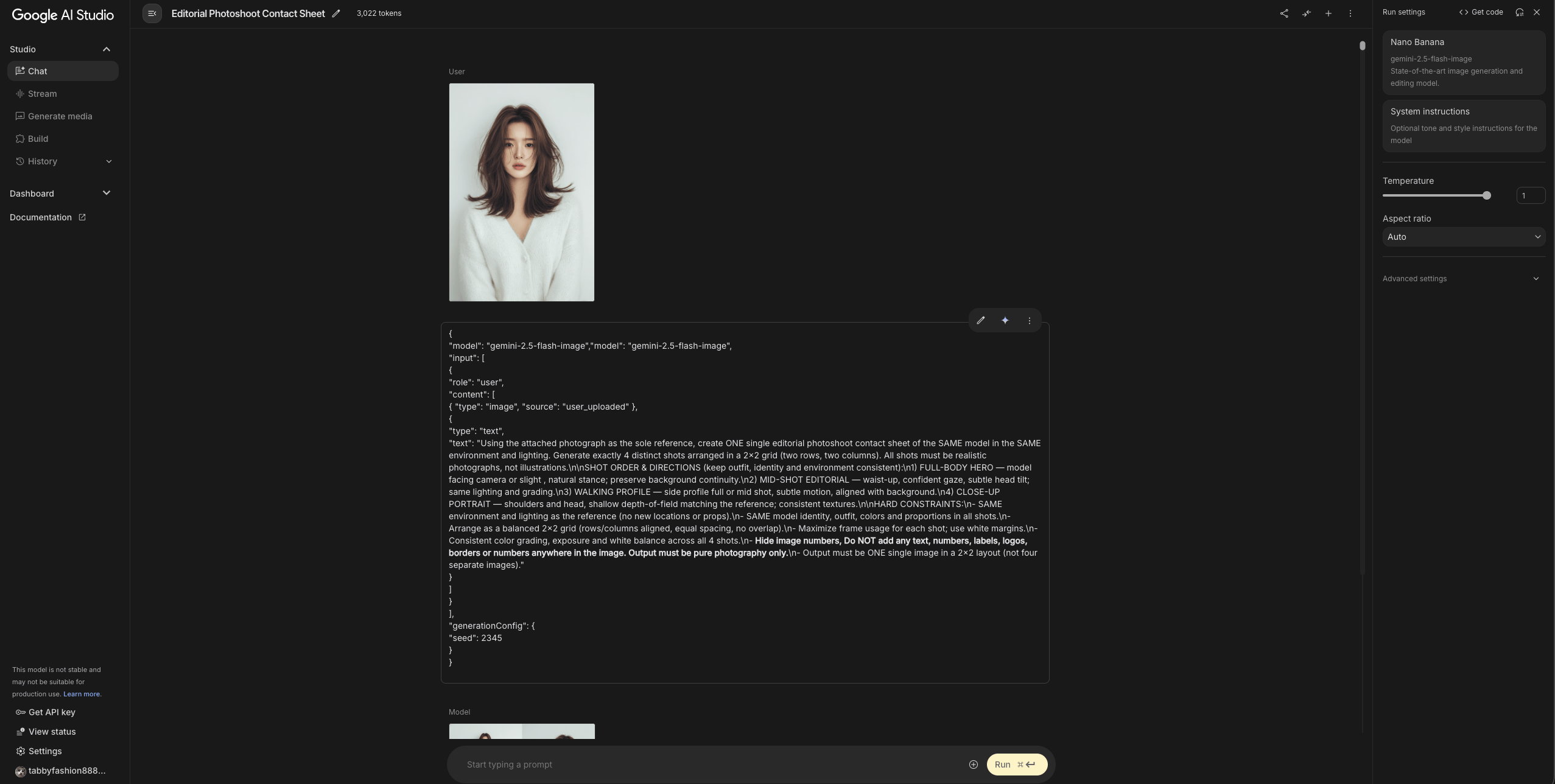
得到一张喜欢的图像,粘贴以下提示并将图像上传到 Google AI Studio 获得结果:
{"model": "gemini-2.5-flash-image","model": "gemini-2.5-flash-image",
"input": [
{
"role": "user",
"content": [
{ "type": "image", "source": "user_uploaded" },
{
"type": "text",
"text": "Using the attached photograph as the sole reference, create ONE single editorial photoshoot contact sheet of the SAME model in the SAME environment and lighting. Generate exactly 4 distinct shots arranged in a 2x2 grid (two rows, two columns). All shots must be realistic photographs, not illustrations.\n\nSHOT ORDER & DIRECTIONS (keep outfit, identity and environment consistent):\n1) FULL-BODY HERO — model facing camera or slight , natural stance; preserve background continuity.\n2) MID-SHOT EDITORIAL — waist-up, confident gaze, subtle head tilt; same lighting and grading.\n3) WALKING PROFILE — side profile full or mid shot, subtle motion, aligned with background.\n4) CLOSE-UP PORTRAIT — shoulders and head, shallow depth-of-field matching the reference; consistent textures.\n\nHARD CONSTRAINTS:\n- SAME environment and lighting as the reference (no new locations or props).\n- SAME model identity, outfit, colors and proportions in all shots.\n- Arrange as a balanced 2x2 grid (rows/columns aligned, equal spacing, no overlap).\n- Maximize frame usage for each shot; use white margins.\n- Consistent color grading, exposure and white balance across all 4 shots.\n- **Hide image numbers, Do NOT add any text, numbers, labels, logos, borders or numbers anywhere in the image. Output must be pure photography only.**\n- Output must be ONE single image in a 2x2 layout (not four separate images)."
}
]
}
],
"generationConfig": {
"seed": 23456
}
}
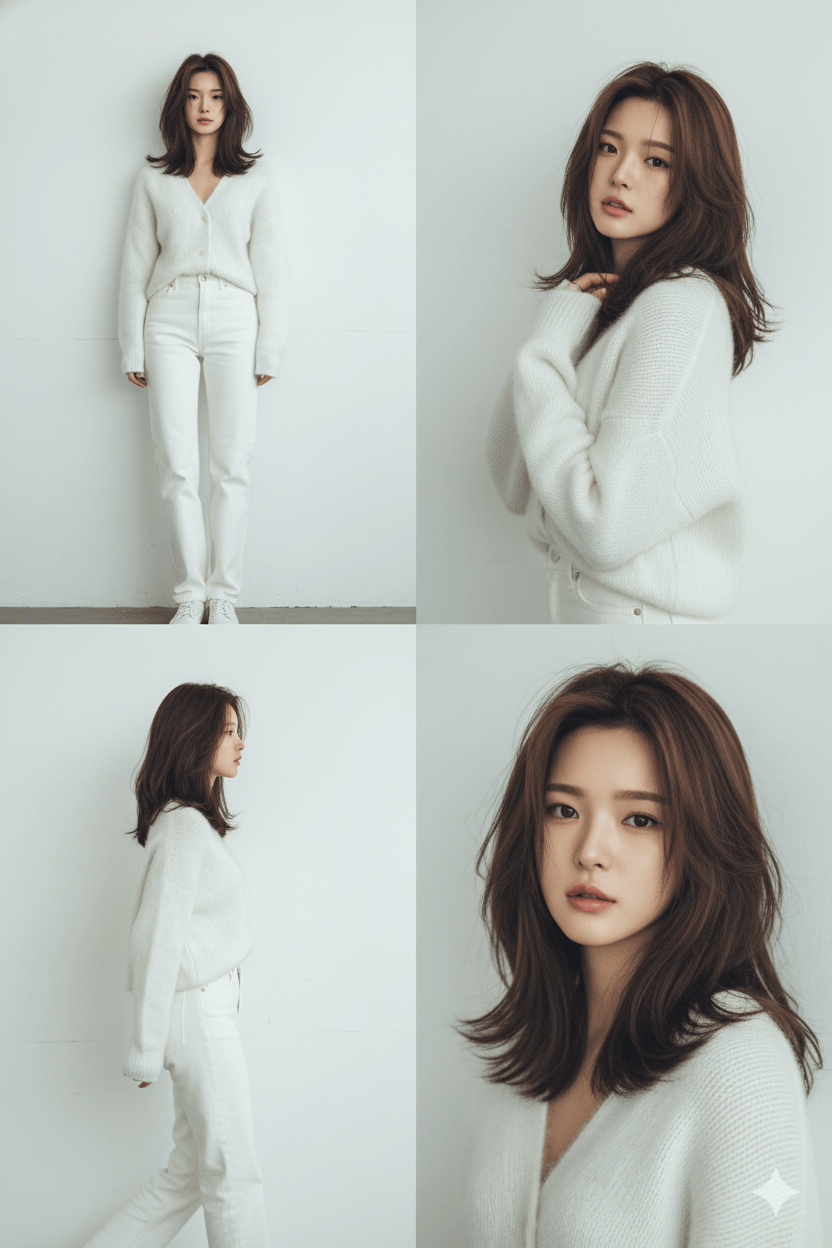
人物角色很统一,有些意思,但请注意,如果你希望使用相同的提示获得不同的结果,只需更改提示中的种子号即可。
-
多视图产品展示
同样,用以下 Midjourney 图像来做测试:
Nike Air Force 1 floating in mid-air, new upper, no flaws, front and side view, dramatic studio lighting, dynamic angle, clean background, high detail, professional commercial photography, photo-realistic, C4D rendering --ar 2:3 --exp 12 --v 7.0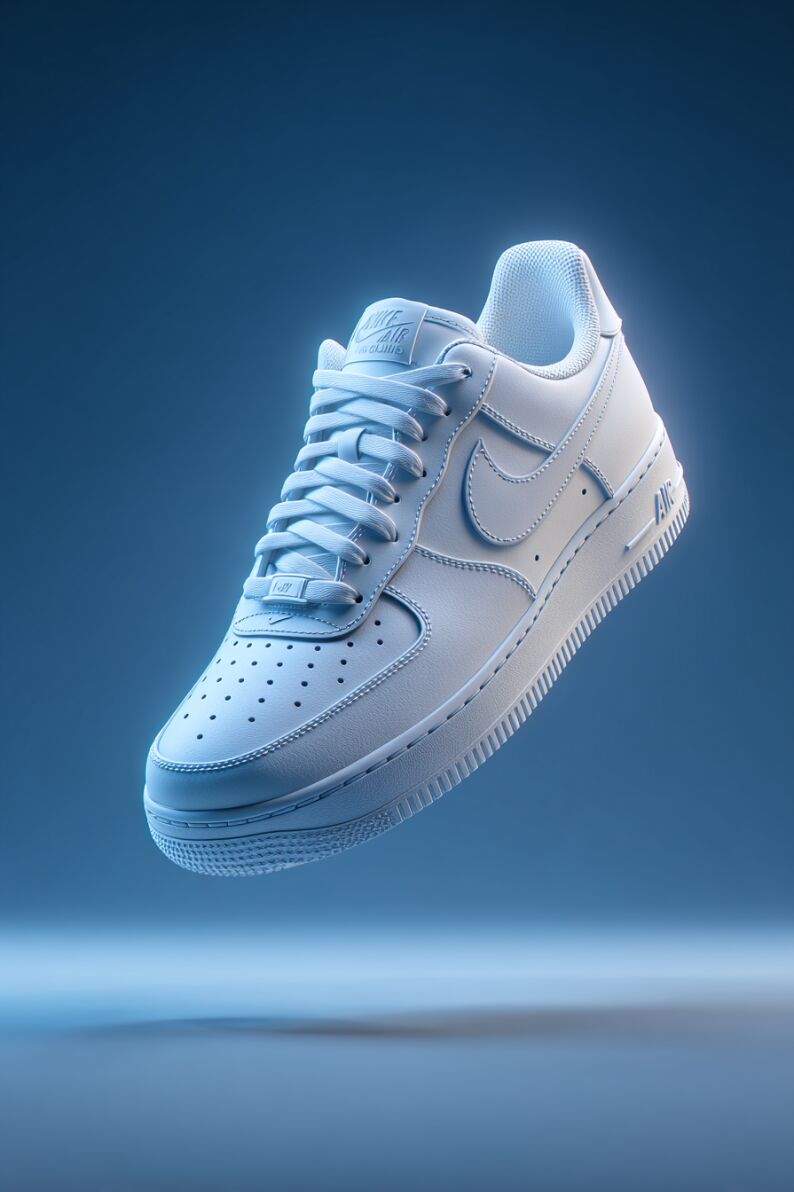
继续在 Google Studio 中上传你想要的产品和以下提示:
{"model": "gemini-2.5-flash-image","model": "gemini-2.5-flash-image",
"input": [
{
"role": "user",
"content": [
{ "type": "image", "source": "user_uploaded" },
{
"type": "text",
"text": "Using the attached product photograph as the sole reference, create ONE single product sheet showing the SAME item in exactly 4 classical catalog views, arranged in a 2x2 grid (two rows, two columns).\n\nREQUIRED VIEWS:\n1) FRONT VIEW — full product facing the camera, centered.\n2) RIGHT SIDE VIEW — rotate 90 right, full product.\n3) LEFT SIDE VIEW — rotate 90 left, full product.\n4) REAR VIEW — rotate 180 from front, full product.\n\nHARD CONSTRAINTS:\n- The product identity, proportions, colors and textures must remain identical to the reference.\n- Keep background neutral, plain studio (white or light gray), consistent across all shots.\n- Arrange the 4 views in a clean 2x2 grid with equal spacing and alignment.\n- No overlap, no cropping, no additional props or reflections.\n- Lighting must be uniform and neutral in all 4 shots.\n- Output must be ONE single square image with the 4 views (not four separate images)."
}
]
}
],
"generationConfig": {
"seed": 12345
}
}
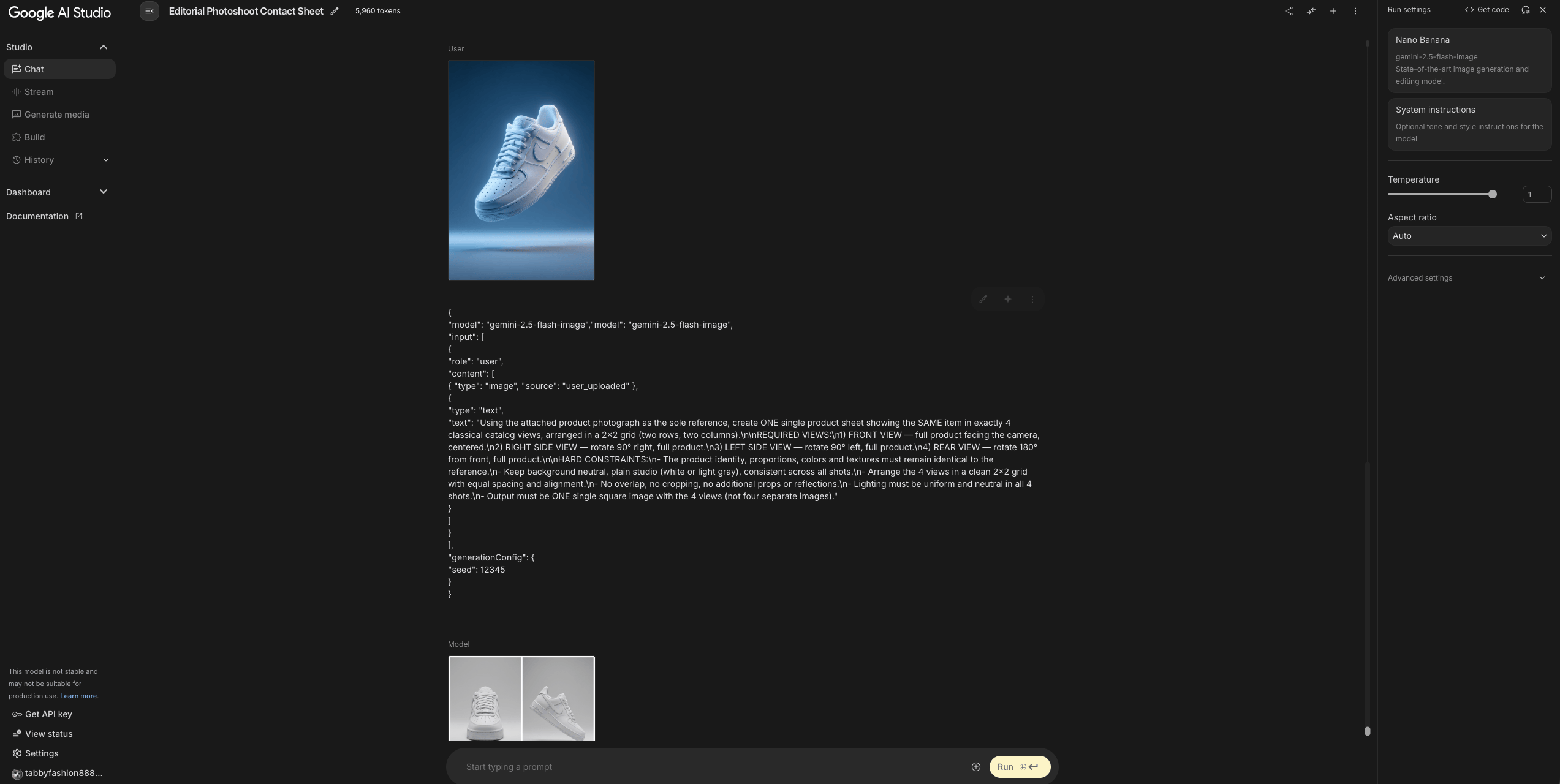
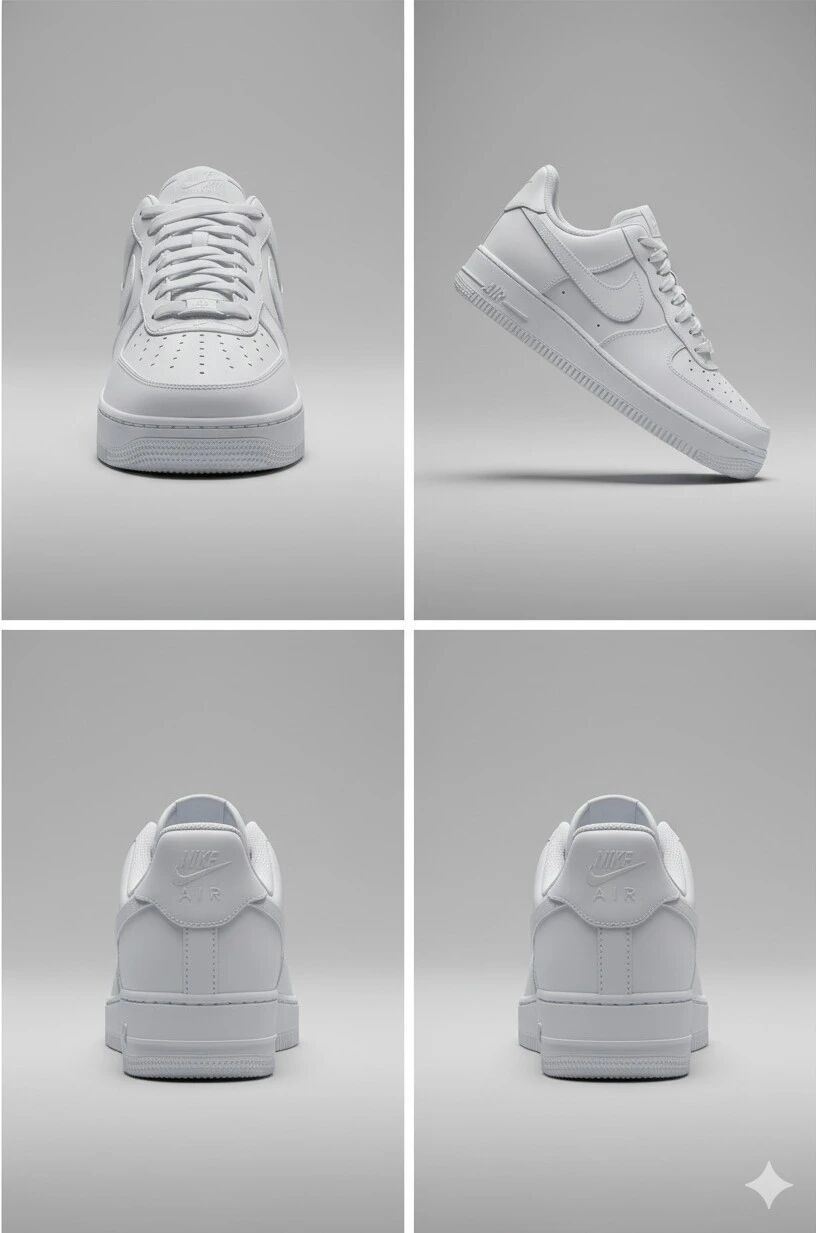
看着也不错,但是有一张重复的视角,也算是OK。
-
角色的多个视图
继续,用以下 Midjourney 图像来做测试:
3D cartoon-style black bear character with a simple cute face, wearing transparent horn-rimmed glasses, oversized hoodie and wide-leg cargo pants, standing in front of a clean white studio backdrop, realistic clothing textures, minimal shadows, sharp full-body view, Korean street fashion style, casual and modern --ar 2:3 --exp 18 --v 7.0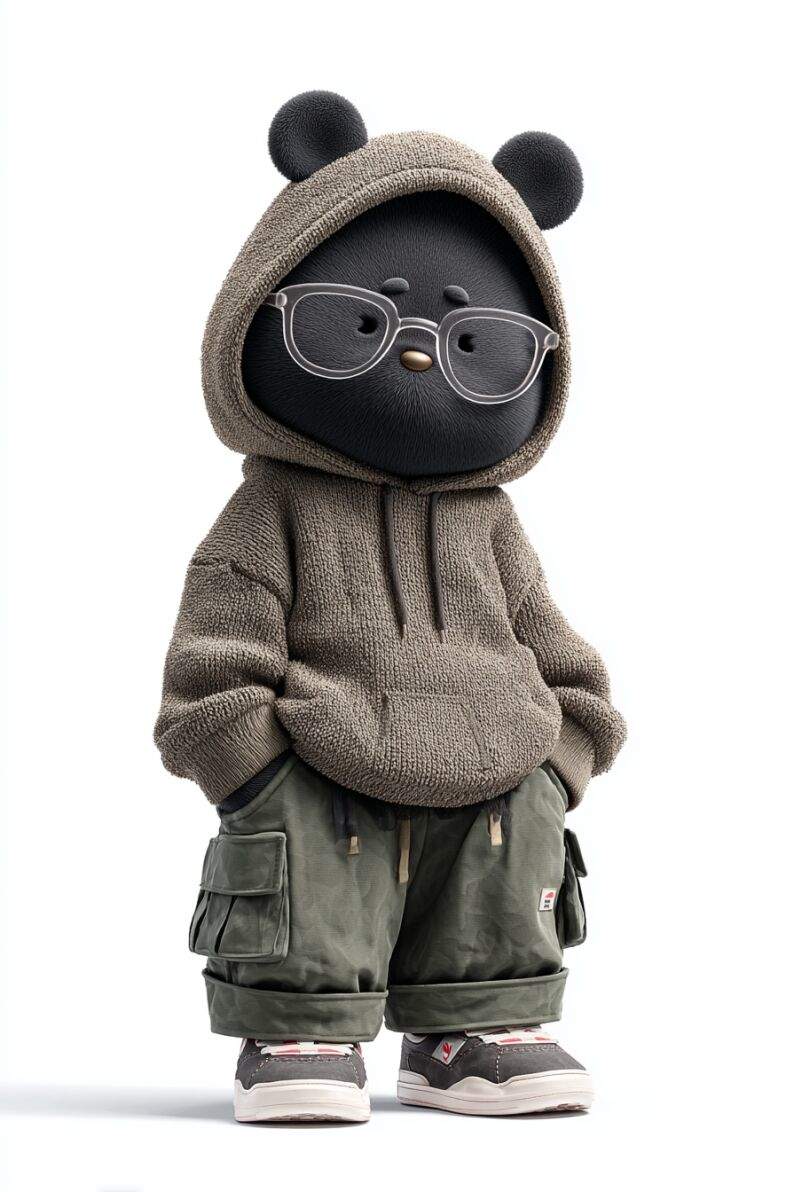
Google Studio 中上传你想要的产品和以下提示:
{"model": "gemini-2.5-flash-image","model": "gemini-2.5-flash-image",
"input": [
{
"role": "user",
"content": [
{ "type": "image", "source": "user_uploaded" },
{
"type": "text",
"text": "Using the attached product photograph as the sole reference, create ONE single product sheet showing this full-body character in exactly 4 classical catalog views, arranged in a 2x2 grid (two rows, two columns).\n\nREQUIRED VIEWS:\n1) FRONT VIEW — full product facing the camera, centered.\n2) RIGHT SIDE VIEW — rotate 90 right, full product.\n3) LEFT SIDE VIEW — rotate 90 left, full product.\n4) REAR VIEW — rotate 180 from front, full product.\n\nHARD CONSTRAINTS:\n- The product identity, proportions, colors and textures must remain identical to the reference.\n- Keep background neutral, plain studio (white or light gray), consistent across all shots.\n- Arrange the 4 views in a clean 2x2 grid with equal spacing and alignment.\n- No overlap, no cropping, no additional props or reflections.\n- Lighting must be uniform and neutral in all 4 shots.\n- Output must be ONE single square image with the 4 views (not four separate images). DO NOT ADD TEXT"
}
]
}
],
"generationConfig": {
"seed": 12345
}
}
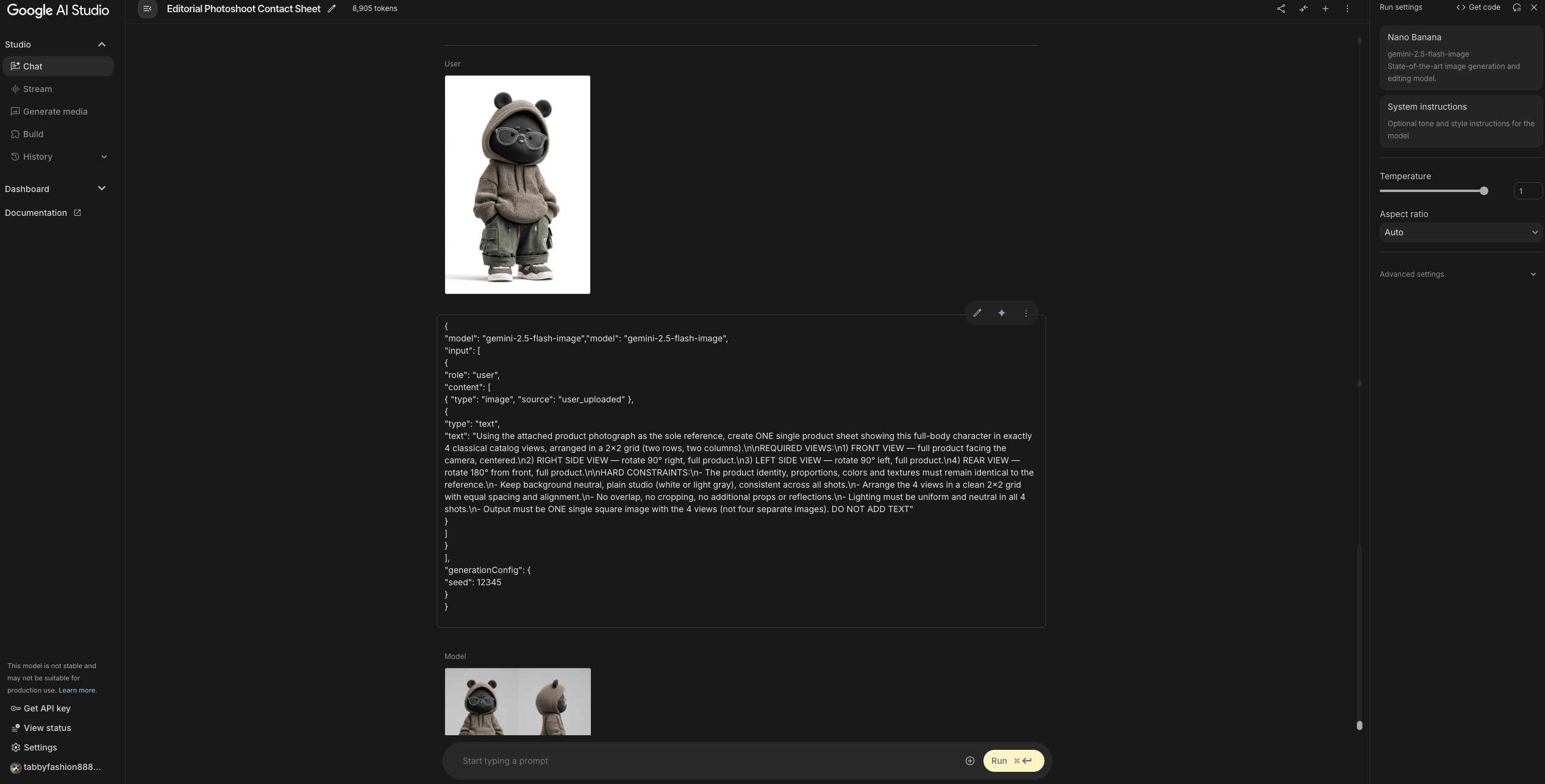
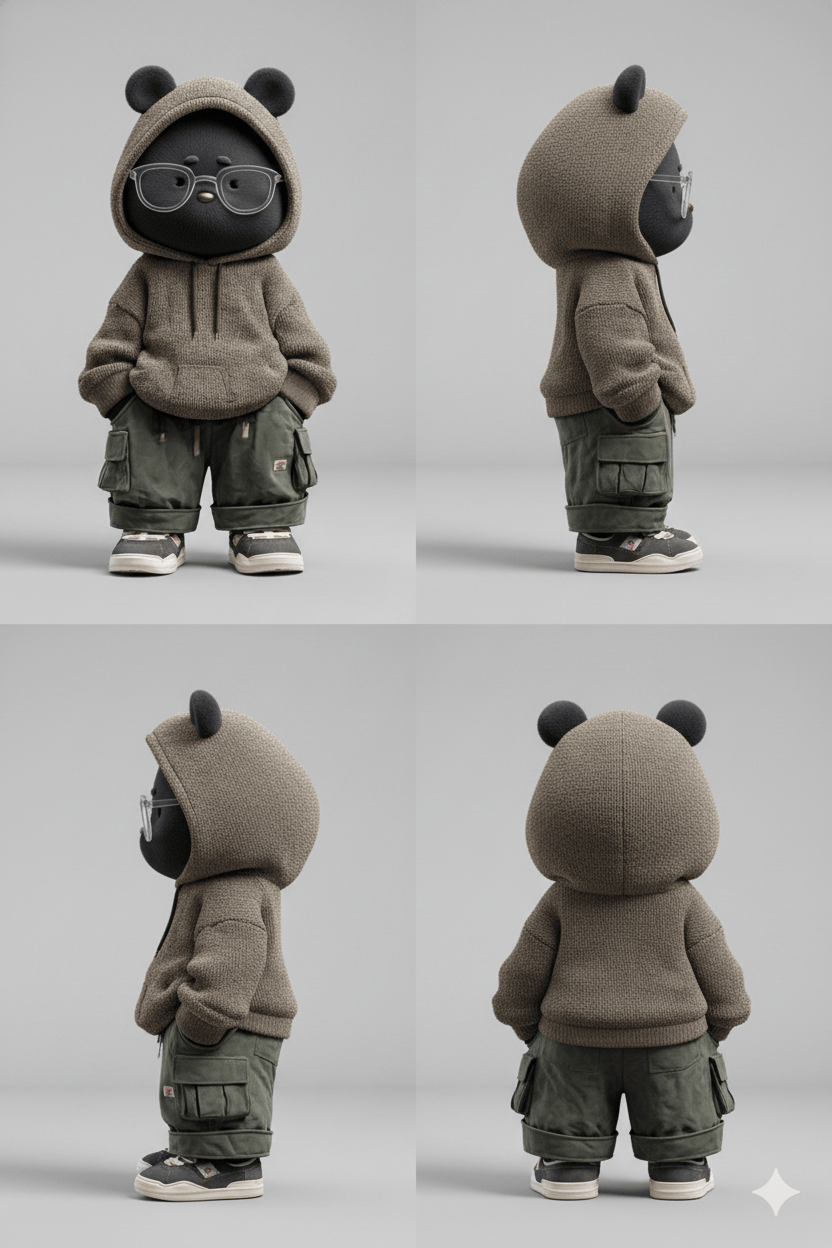
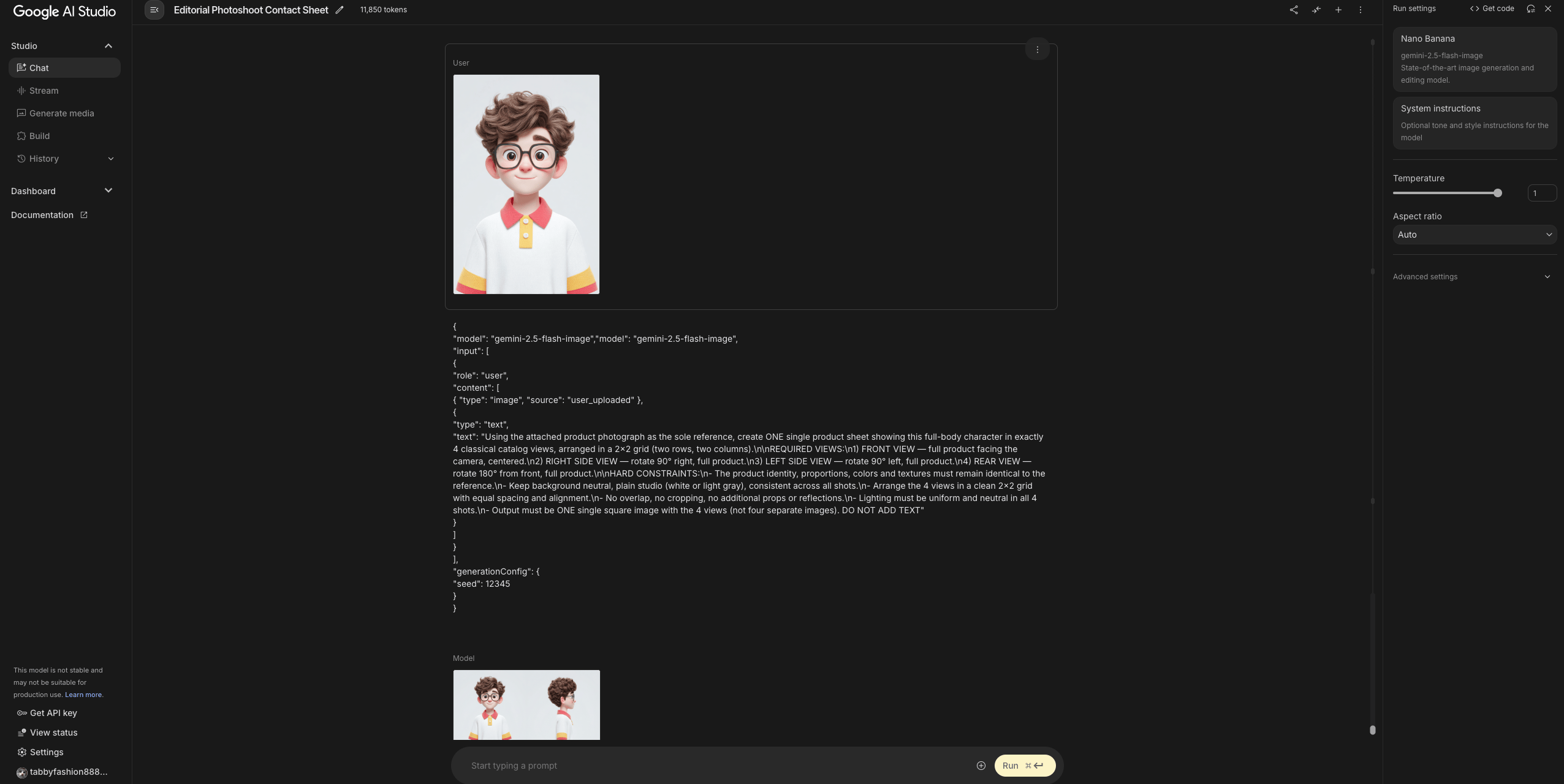
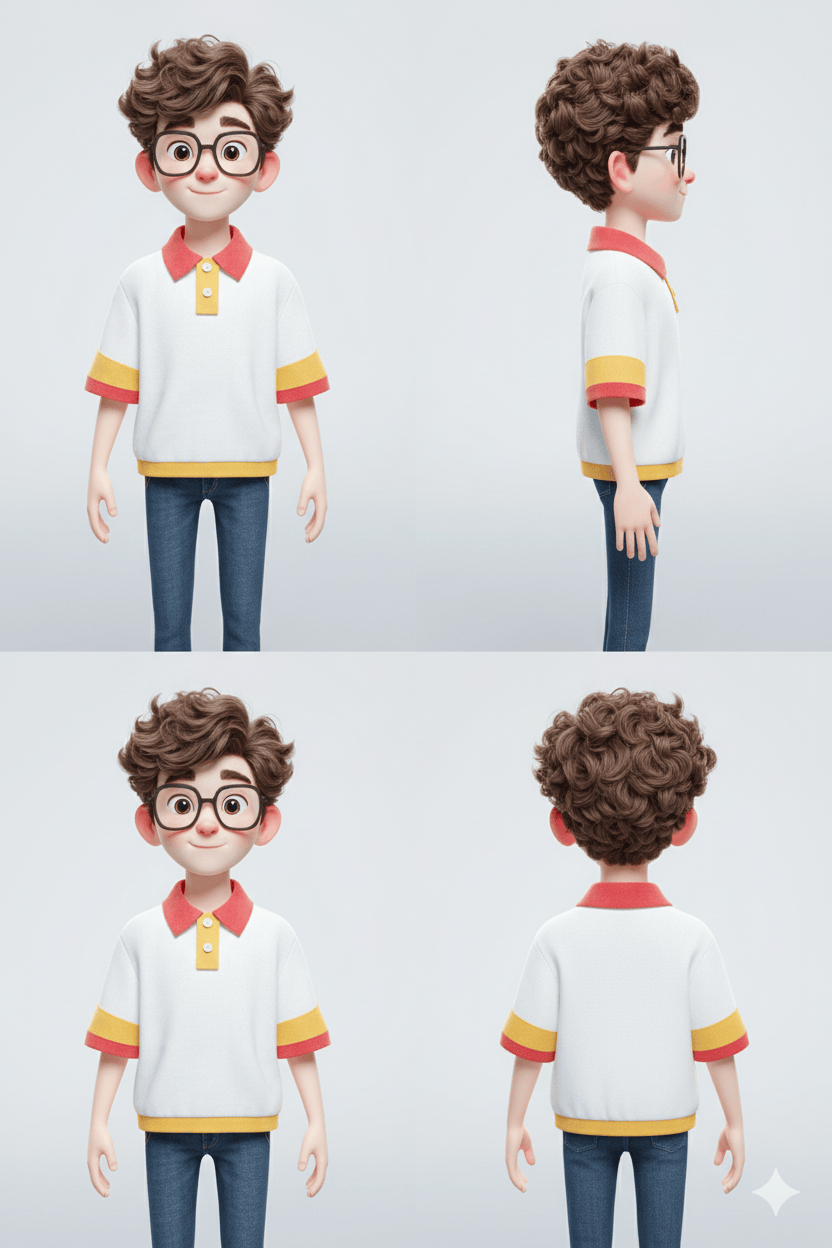
看一个有趣的例子,里面只上传角色的上半身,用以上 JSON 提示也是可以实现的,同样 Midjourney 图像来做测试:
3D cute cartoon character, Thai male, 24 years old, wearing glasses, white polo shirt with redpink collar and yellow sleeve edges, front-facing, expressive face, lips clearly visible for lip-sync, smooth skin, soft pastel colors, warm lighting, playful and friendly expression, high detail, digital art, cinematic lighting, simple white background --ar 2:3 --exp 14 --v 7.0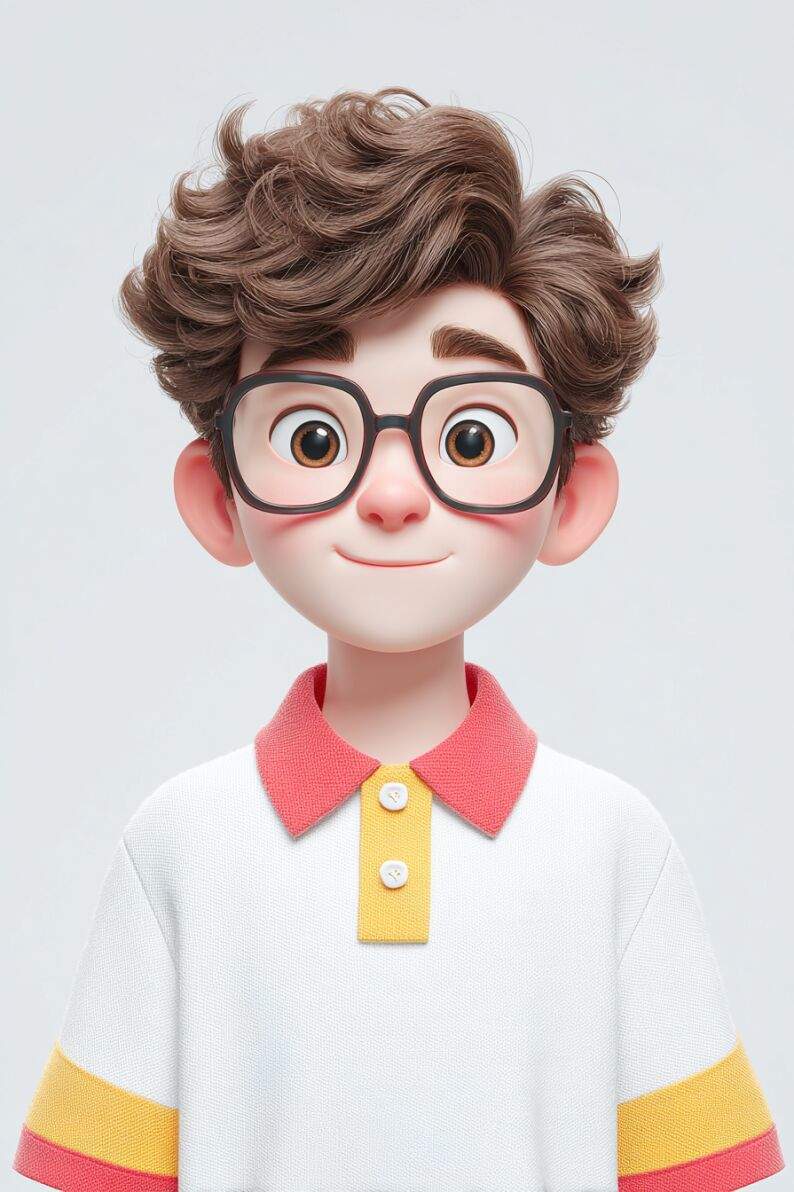
-
物体的不同材质
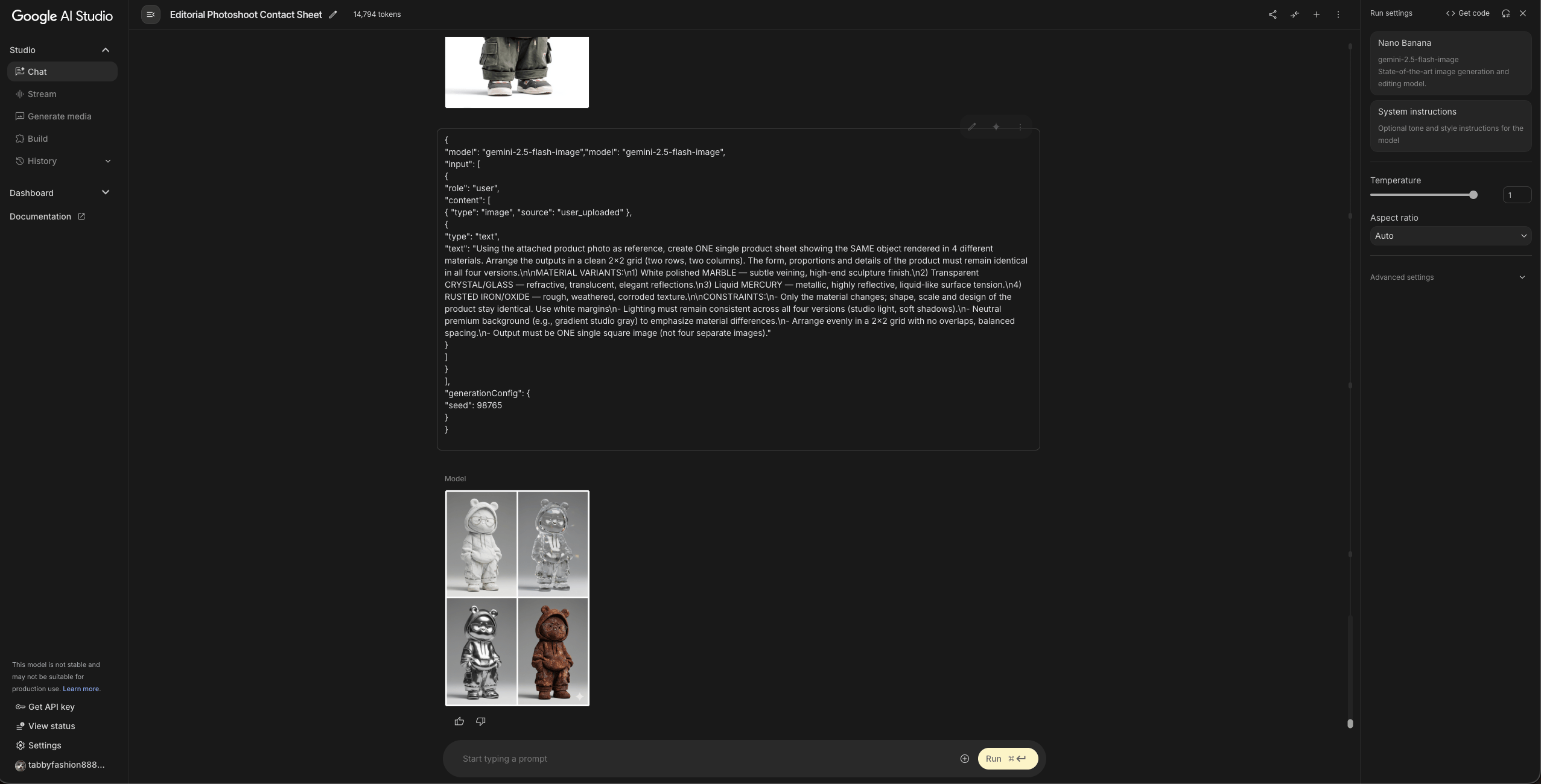
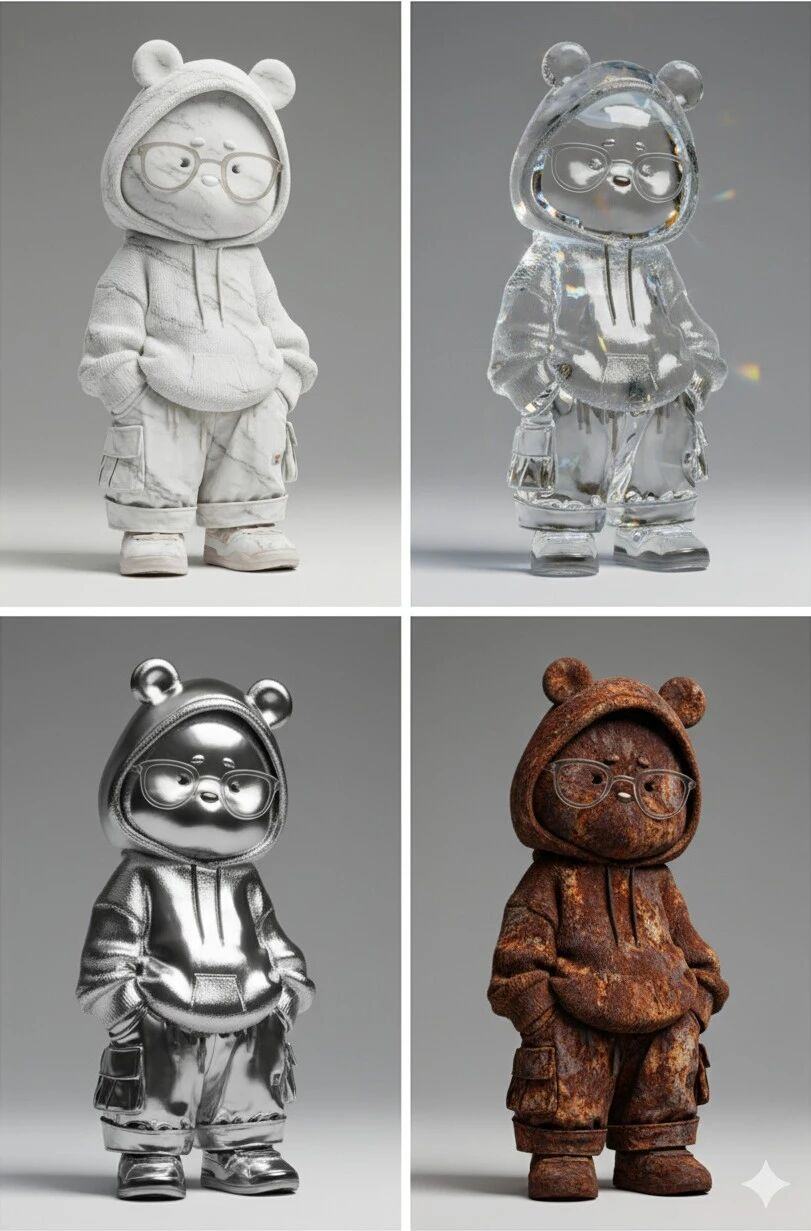
我知道这很烂大街的操作,但把物体变成雕像,或者在玻璃里看到科技物品的想法真的很吸引人。
继续,用上面的熊图像来做测试:
{"model": "gemini-2.5-flash-image","model": "gemini-2.5-flash-image",
"input": [
{
"role": "user",
"content": [
{ "type": "image", "source": "user_uploaded" },
{
"type": "text",
"text": "Using the attached product photo as reference, create ONE single product sheet showing the SAME object rendered in 4 different materials. Arrange the outputs in a clean 2x2 grid (two rows, two columns). The form, proportions and details of the product must remain identical in all four versions.\n\nMATERIAL VARIANTS:\n1) White polished MARBLE — subtle veining, high-end sculpture finish.\n2) Transparent CRYSTAL/GLASS — refractive, translucent, elegant reflections.\n3) Liquid MERCURY — metallic, highly reflective, liquid-like surface tension.\n4) RUSTED IRON/OXIDE — rough, weathered, corroded texture.\n\nCONSTRAINTS:\n- Only the material changes; shape, scale and design of the product stay identical. Use white margins\n- Lighting must remain consistent across all four versions (studio light, soft shadows).\n- Neutral premium background (e.g., gradient studio gray) to emphasize material differences.\n- Arrange evenly in a 2x2 grid with no overlaps, balanced spacing.\n- Output must be ONE single square image (not four separate images)."
}
]
}
],
"generationConfig": {
"seed": 98765
}
}
构建工作流程
如你所见有很多可能性,你需要访问 Google AI Studio,输入提示符然后等待。此外,图像右下角会显示双子座水印。但如果我告诉您,您可以在一个一体化界面中拥有所有内容,而且没有双子座水印,您会怎么想?
为此,请转到“构建”部分并单击“空”。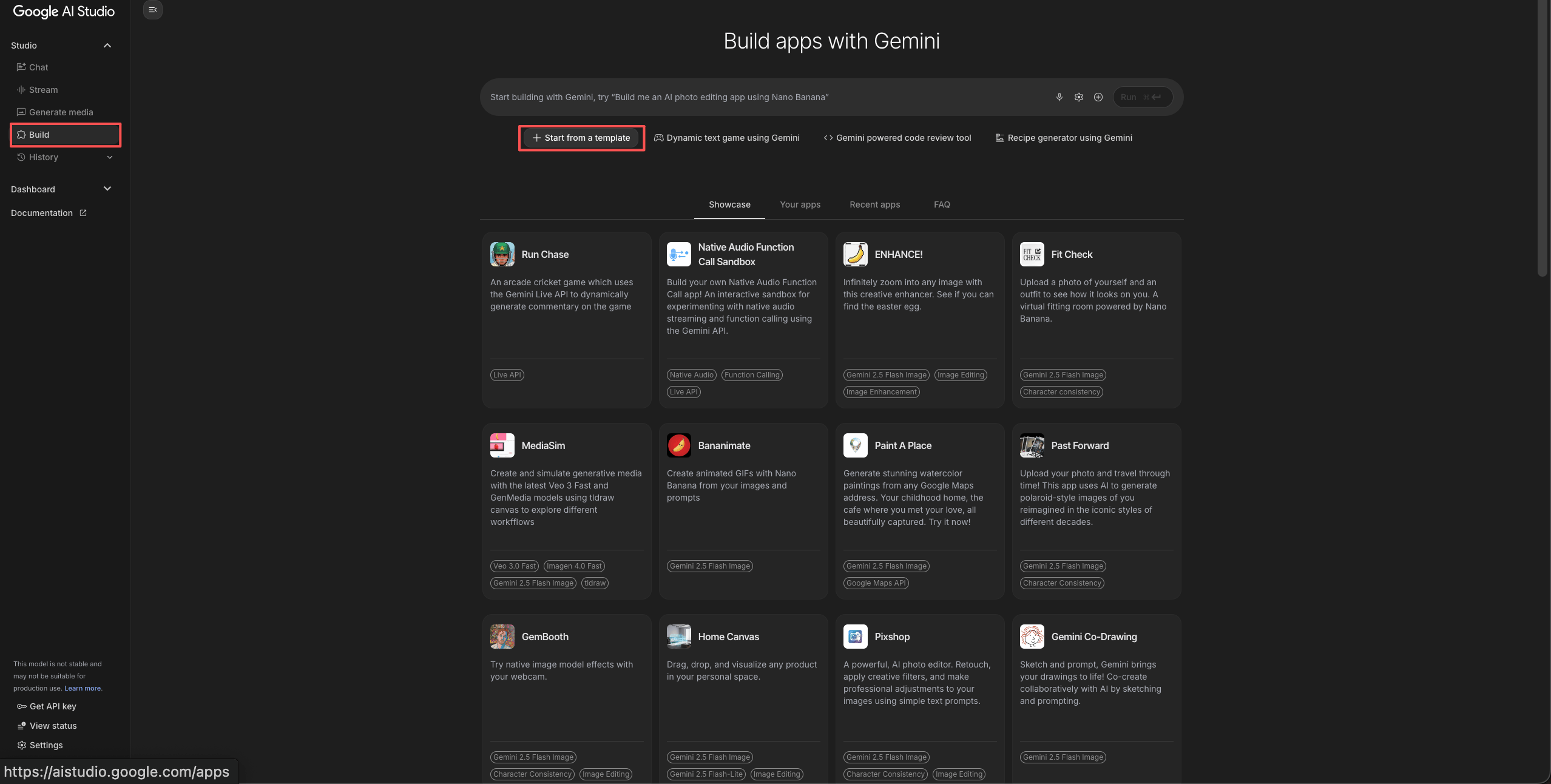
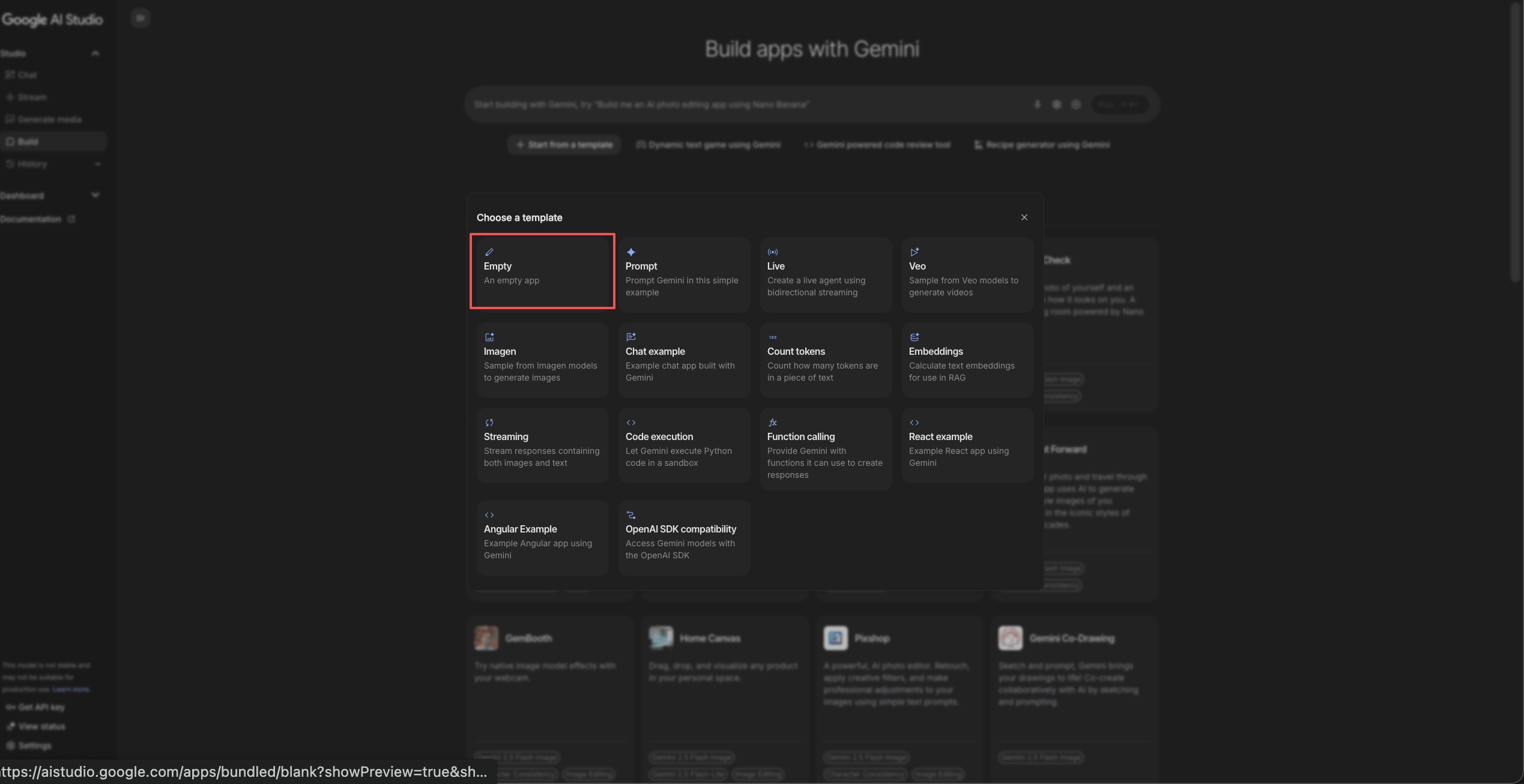
然后复制这个提示:
Implement a text box where I can write a prompt and a text box to upload an image. I want you to use Nano Banana so I can write a prompt to change aspects of the image I upload.
翻译:
实现一个文本框,我可以在其中编写提示,并实现一个用于上传图片的文本框。我希望你使用 Nano Banana,这样我就可以编写一个提示来更改我上传图片的某些方面。
请耐心等待1分多种,系统会自动生成一个界面,您可以在其中创建您的图像,并且由于它使用内部 API,因此不会出现 Gemini 水印。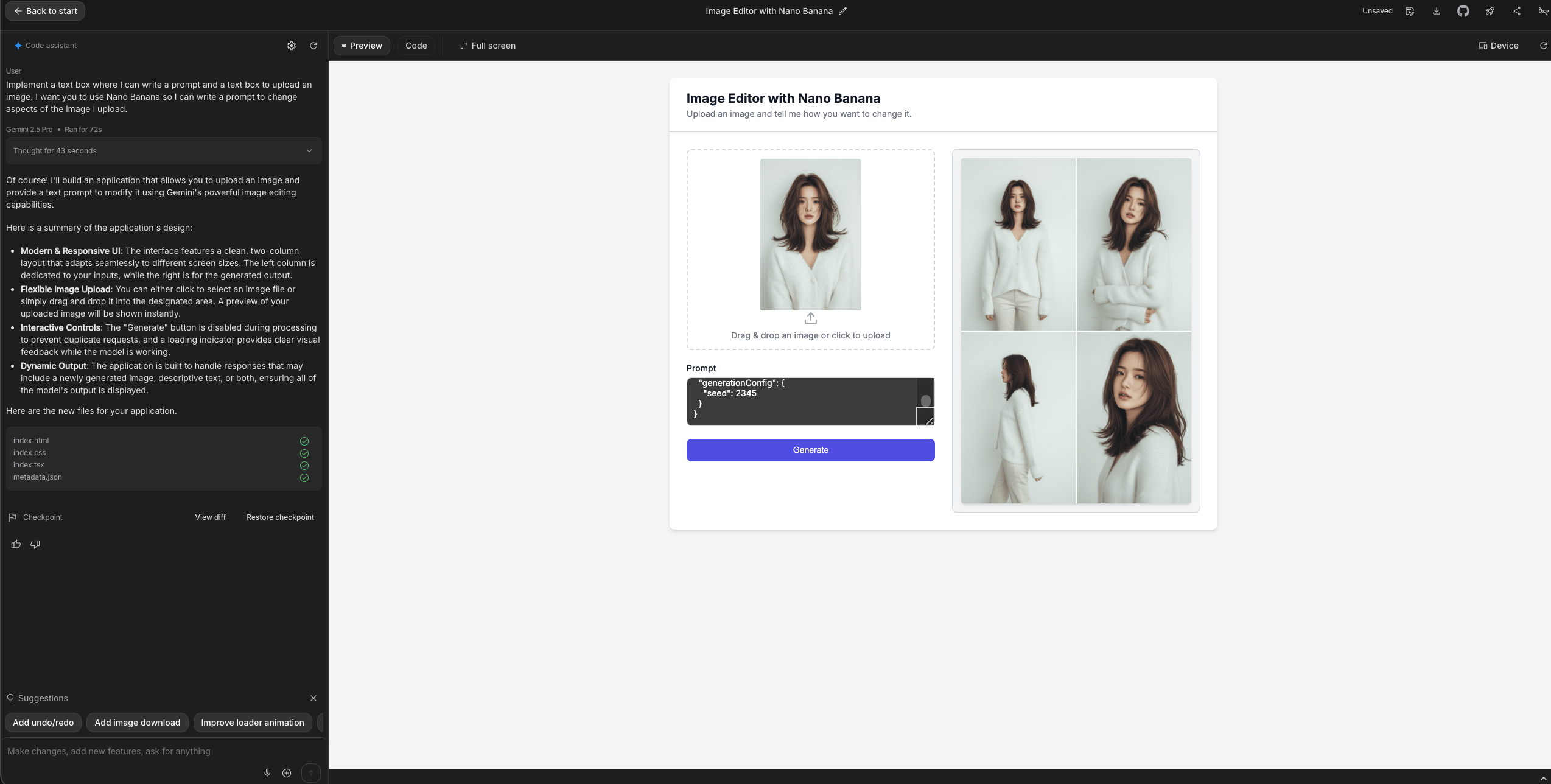
-
插播一条,10月1日出现的 Sora2 和 Grok 0.9版本更新视频玩了一阵,没有 Sora2 邀请码的,Grok 绝对是首选,地址:https://grok.com/imagine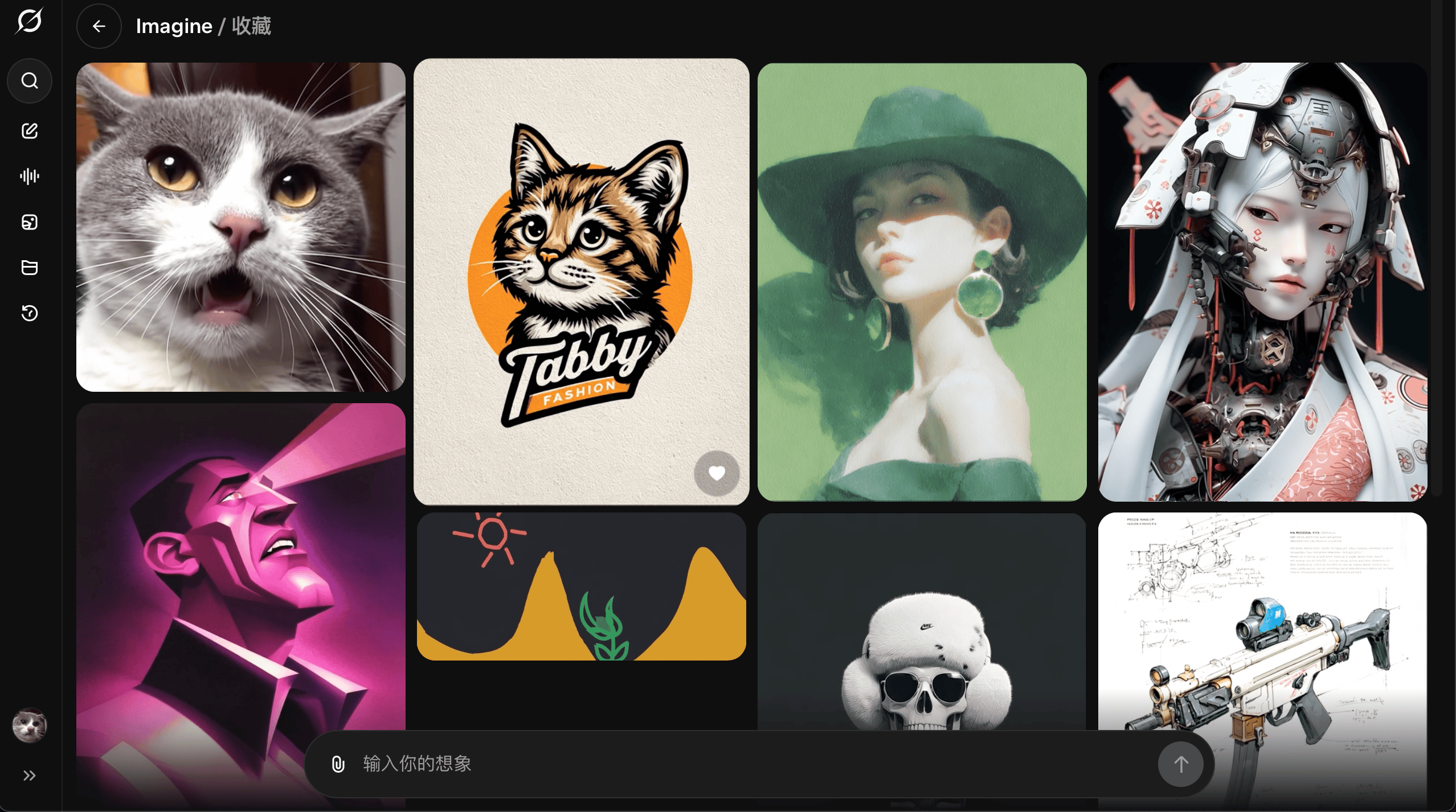


评论区 (0)
最新评论登录后发布评论并参与互动。
暂无评论,欢迎抢沙发。